AFTER SALES SUPPORT
CUSTOMERCARE@BALCOLIFESTYLE.COM MODEL: HE180021
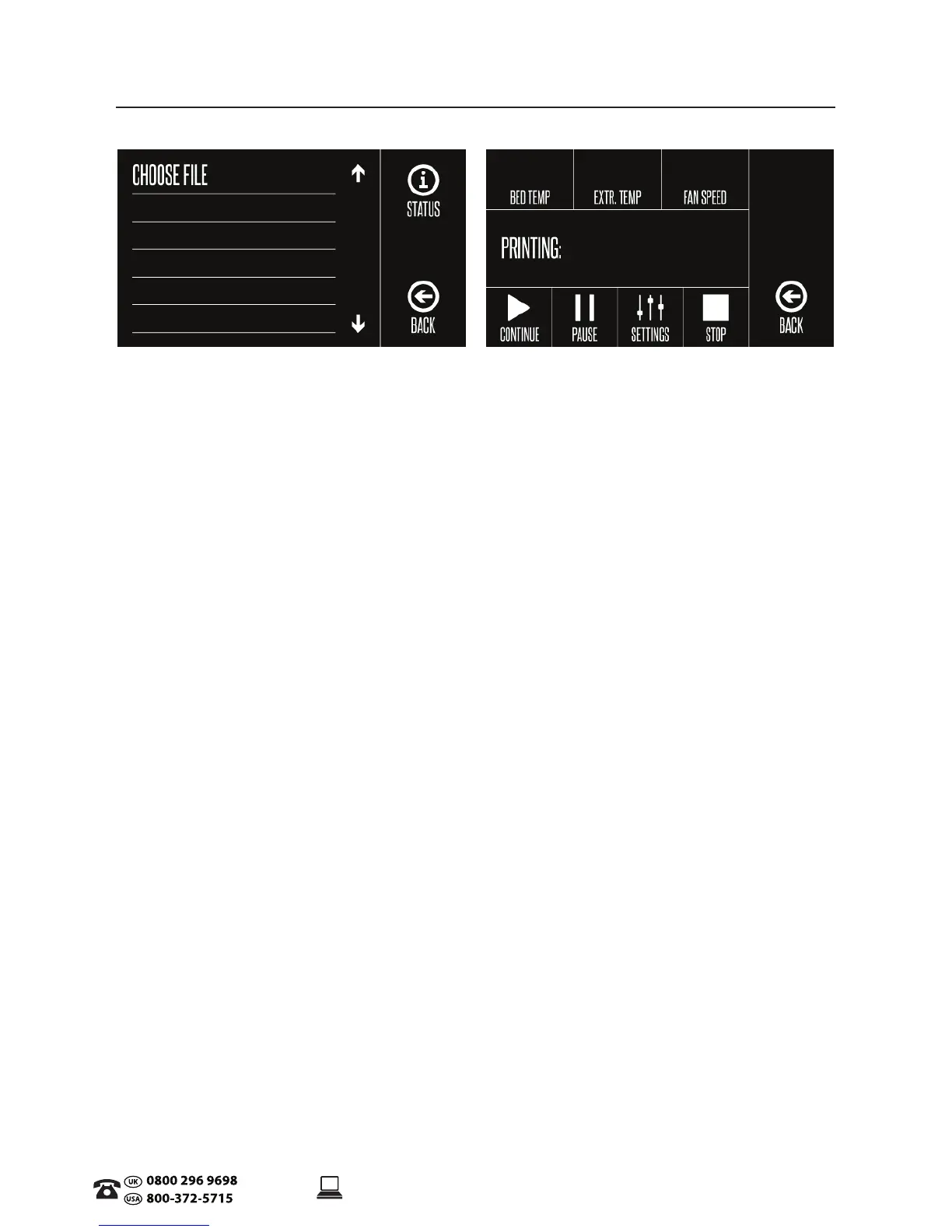
2.5 Touch Screen Control Panel
Print
• Choose File: Shows les on SD card ready to print
• Status: Status of chosen print le
• Bed Temperature: (0-125ºC)
• Extruder Temperature: (0-260ºC)
• Fan Speed: (0-100%)
• Continue: Starts/resumes printing the selected le
• Pause: Pauses the currently printing le
• Settings: manually increase/decrease print speed (0-300%), extruder temperature, bed
temperature and fan speed
NOTE: If you are making changes in Settings, ensure you select Conrm to proceed to update the
changes made for your current print le
• Stop: Stops the current print job completely
• Back: Return to Main Menu
PRODUCT OVERVIEW


 To Next Page