16
After Sales Support
44 800 496 9698
customercare@balcolifestyle.com
Model Number HE180433
Action Camera App
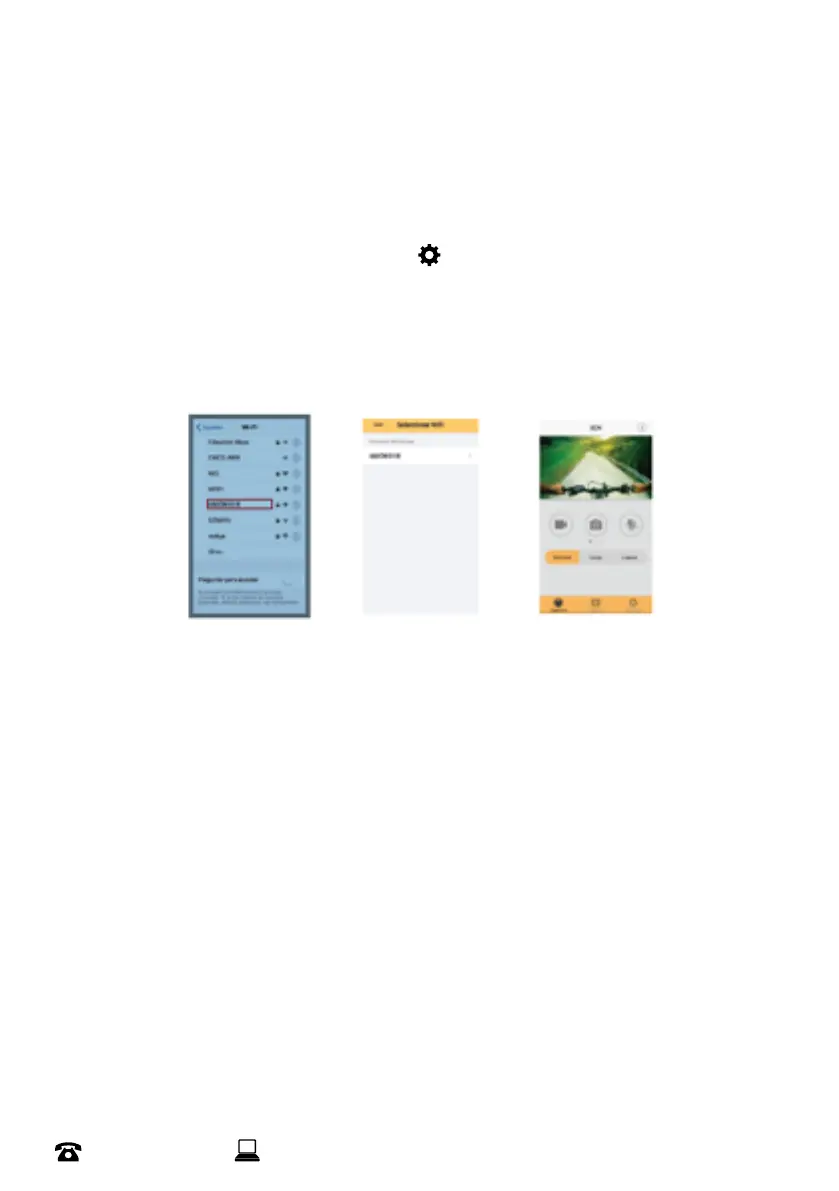
TouseWi-FifunctionofyourActionCamera,youneedtohavethe“XDVPRO”applicationinstalledin
yoursmartphone
1. Searchfor“XDVPRO”inGooglePlay(forAndroid)orAppStore(foriOS)tondtheappandinstall
itaccordingtotheinstructions
2. HoldtheOKbuttondownfor3secondsaccesstheActionCameramenu
3. Usethearrows&pressOKonthesettingsicon .UseMtonavigatetoWi-Fisettings.Usethe
arrows&clickOKtoturnonWi-Fi
4. Disablemobiledataonyoursmartphoneortablet&enableWi-Fionyoursmartphoneortablet
5. SearchfortheWi-FisignaloftheActionCamera,thenconnectittothecamera
6. Thesystemwilldisplay“Connectedsuccessfully”toconrm
7. YoucannowcontrolyourActionCamerafunctionsviatheapp
NOTE:
• When connecting to camera for the rst time, you will need to enter the password as displayed on the
Action Camera. E.g. ‘1234567890’. Once connected, you can preview the images sent by the Action
Camera onto your phone or tablet and record video/photos directly onto your phone
• In ‘options mode’ you will be able to congure the camera presets before recording
DISCLAIMER: The XDV PRO app has not been developed by Balco. We are not responsible for the
operation of the app, its updates, nor its compatibility with all devices


 To Next Page