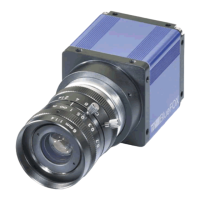
mvBlueGEMINI Technical Manual (EN) v2.6
APPENDIX 34
• Aperture
o an opening through which light travels (narrow aperture = less light)
o a scale indicates the f-number (high value = narrow aperture)
o has direct impact on the imaging quality (determines resolution and depth of field).
Calculate the image
Using the formula for a single lens is the easiest way to calculate an image. At least, it is possible to
indicate the boundary conditions for a test setup's concept.
The accuracy of measurement specifies how many measuring points are needed in the object. With
it and setting the image detail, you can determine the camera.
Example: If an accuracy (M) of 0.1 mm is needed, you have to use twice as many resolution points
(F; according to the sampling theorem), which results in a measurement resolution (A) of 0.05 mm:
The sensor of the mvBlueGEMINI has a pixel size (P) of 0.0053 mm (5.3 µm), which will lead to an
image scale of approx. 1/10:
With the sensor size of 6.7 mm * 5.4 mm (1/1.8 inch), you can view an object of 67 mm * 54 mm in
an image.
Example of further such correlations:


 To Next Page