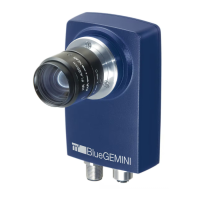
mvBlueGEMINI Technical Manual (EN) v2.6
FIRST STEPS 20
Menu" → "System Settings" → "System" in the "mvIMPACT Configuration Studio
(mvIMPACT-CS) User Manual").
• updates
For updating the smart camera drop the update file in this folder (see chapter "Updates").
NOTE
If you cannot access the shared folders, please have a look a the appendix "Troubleshooting
Table" → "Accessing the shared folders is not possible".
8.2.1 If you wish to access ICS in another subnetwork ...
• Subnetworks have been explicitly created to arrange computers into various networks, with
these boundaries restricting access.
• Refer to your IT administrator to set up access to the smart camera or PC. You can find useful
tips in the appendix "Notes about network connections".
8.3 How to continue?
You are connected to the smart camera via browser and the homepage of mvIMPACT
Configuration Studios (mvIMPACT-CS) is displayed. Now, you can create your first inspection
program with mvIMPACT-CS. For this, please consult the "mvIMPACT Configuration Studio
(mvIMPACT-CS) User Manual".


 To Next Page