Getting Started
Manual Documentation Number: MES1A/MES1B-2106m PN7138-rev001
B&B Electronics Mfg Co Inc – 707 Dayton Rd - PO Box 1040 - Ottawa IL 61350 - Ph 815-433-5100 - Fax 815-433-5104 – www.bb-elec.com
B&B Electronics Ltd – Westlink Commercial Park – Oranmore, Galway, Ireland – Ph +353 91-792444 – Fax +353 91-792445 – www.bb-
europe.com
11
C
C
h
h
a
a
p
p
t
t
e
e
r
r
3
3
:
:
G
G
e
e
t
t
t
t
i
i
n
n
g
g
S
S
t
t
a
a
r
r
t
t
e
e
d
d
QuickStart
The following section is a quick, step-by-step procedure that will
assist you to get started configuring the MES1A/B. Additional
details on how to use the Device Installer software to discover and
connect to devices is included in the section following this one.
MES1A/B configuration details are included in Chapter 4.
1. Check the contents of your MES1A/B package. It should
contain…
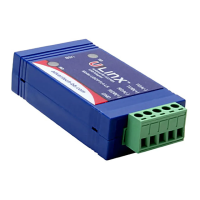
The MES1A or MES1B unit
A printed version of this user manual
A printed version of the MES1A/B Quick Start Guide
Software CD with Device Installer software, this manual, Quick
Start guide
2. Set up the Hardware
Connect the MES1A/B to the network using an Ethernet cable.
Connect your PC to the network
Connect a 12 VDC power supply (not included) to the MES1A/B
and apply power. (10 to 30 VDC, 3.6 Watts.)
3. Software Installation
Insert the software CD and it should auto-start into the
installation wizard.
Follow the on-screen installation wizard to install the Device
Installer software.



 To Next Page