Documentation Number 3PCIO1-0903 Manual Chapter 3 15
B&B Electronics Mfg Co – 707 Dayton Rd - PO Box 1040 - Ottawa IL 61350 - Ph 815-433-5100 - Fax 815-433-5104
B&B Electronics Ltd – Westlink Comm. Pk. – Oranmore, Galway, Ireland – Ph +353 91-792444 – Fax +353 91-792445
Removal of Drivers/Card
If you need to install a possible future driver update or want to
remove the card from your system:
1. Open My Computer, Control Panel, System (or Start, Setting,
Control Panel, System).
2. Select the Device Manager page.
3. Select the B&B Com port. Click the Remove button.
4. Click Multifunction Adaptors, then select B&B 3PCIO1
Single-Port Isolated Serial Card which matches the card
installed.
5. Click the Remove button.
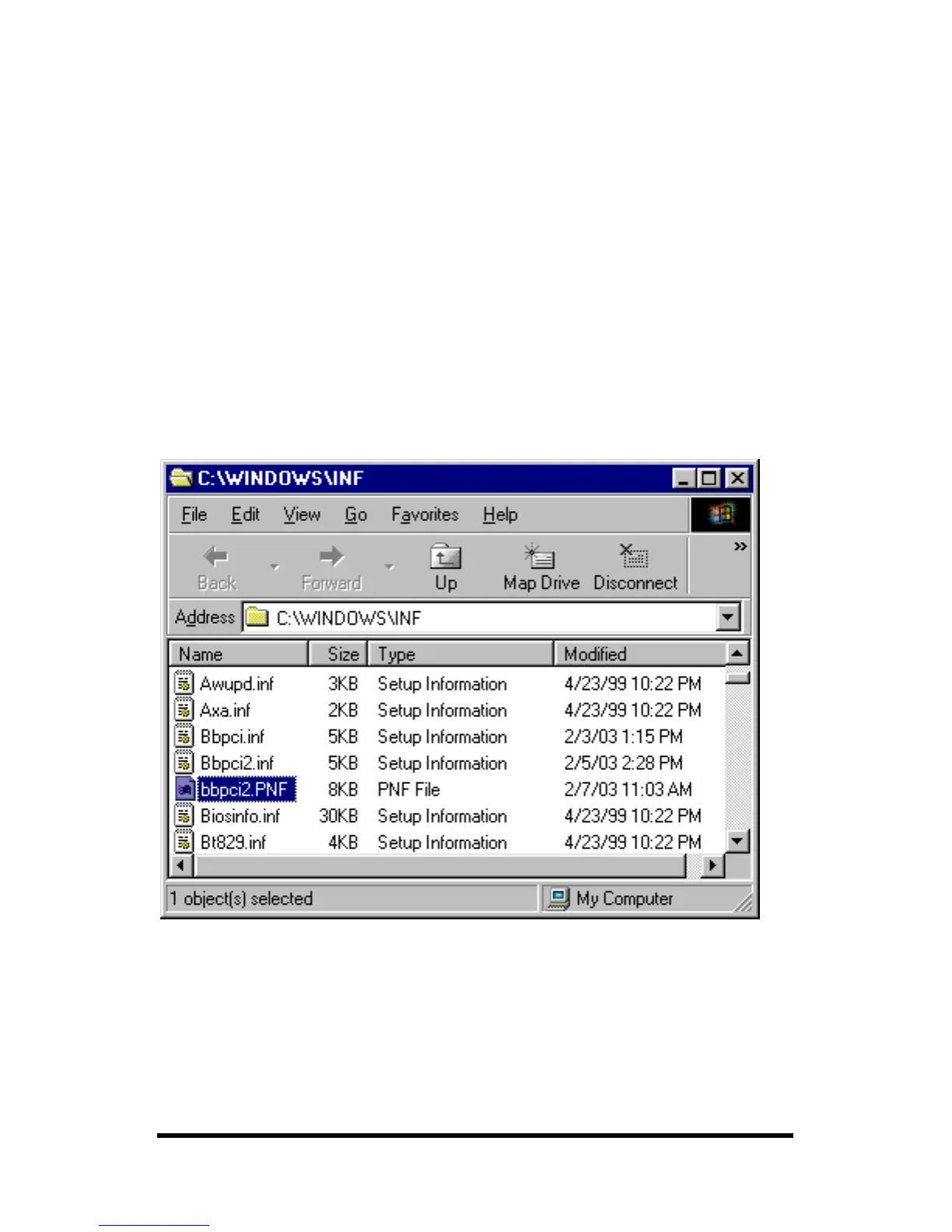
Next find the C:\WINDOWS\INF directory, select View, Details,
Arrange Icons, By Name. (You can use Windows Explorer instead)
6. Find the files, Bbpci.inf, Bbpic2.inf, bbpci2.PNF, and remove
them.
The bbpci2.PNF is a compiled version of the same named .inf and
can be viewed with Notepad if you want to confirm the content
before removing.
7. Remove Bbpci.inf in Other subdirectory within INF.



 To Next Page