42 Chapter 5 Documentation Number 3PCIO1-0903 Manual
B&B Electronics Mfg Co – 707 Dayton Rd - PO Box 1040 - Ottawa IL 61350 - Ph 815-433-5100 - Fax 815-433-5104
B&B Electronics Ltd – Westlink Comm. Pk. – Oranmore, Galway, Ireland – Ph +353 91-792444 – Fax +353 91-792445
There are two types of RS-232 ports, DTE (Computer) and DCE
(Modem). Connected directly together using a modem cable wired
pin to pin, the inputs match the outputs of the other.
When two of the same type (DTE to DTE or DCE to DCE) are
interconnected, a crossover (null modem) cable is needed to route
the outputs of one to the inputs of the other. This type of cable is
needed to interconnect two computers with RS-232.
RS-232 devices which require hardware handshaking require
connection of RTS/CTS and/or DTR/DSR lines in order to operate
properly.
Programs for RS-232 may chose to use only Receive and Transmit
and ignore hardware handshaking (None) inputs, or may require
connections to verify that a cable and device is ready for access.
Some devices may use Software Handshaking using Xon/Xoff
characters to start and stop the incoming or outgoing data. These
unprintable characters have the decimal value (17) and (19), and
can often be generated in a terminal program with CTL+Q or CTL+S.
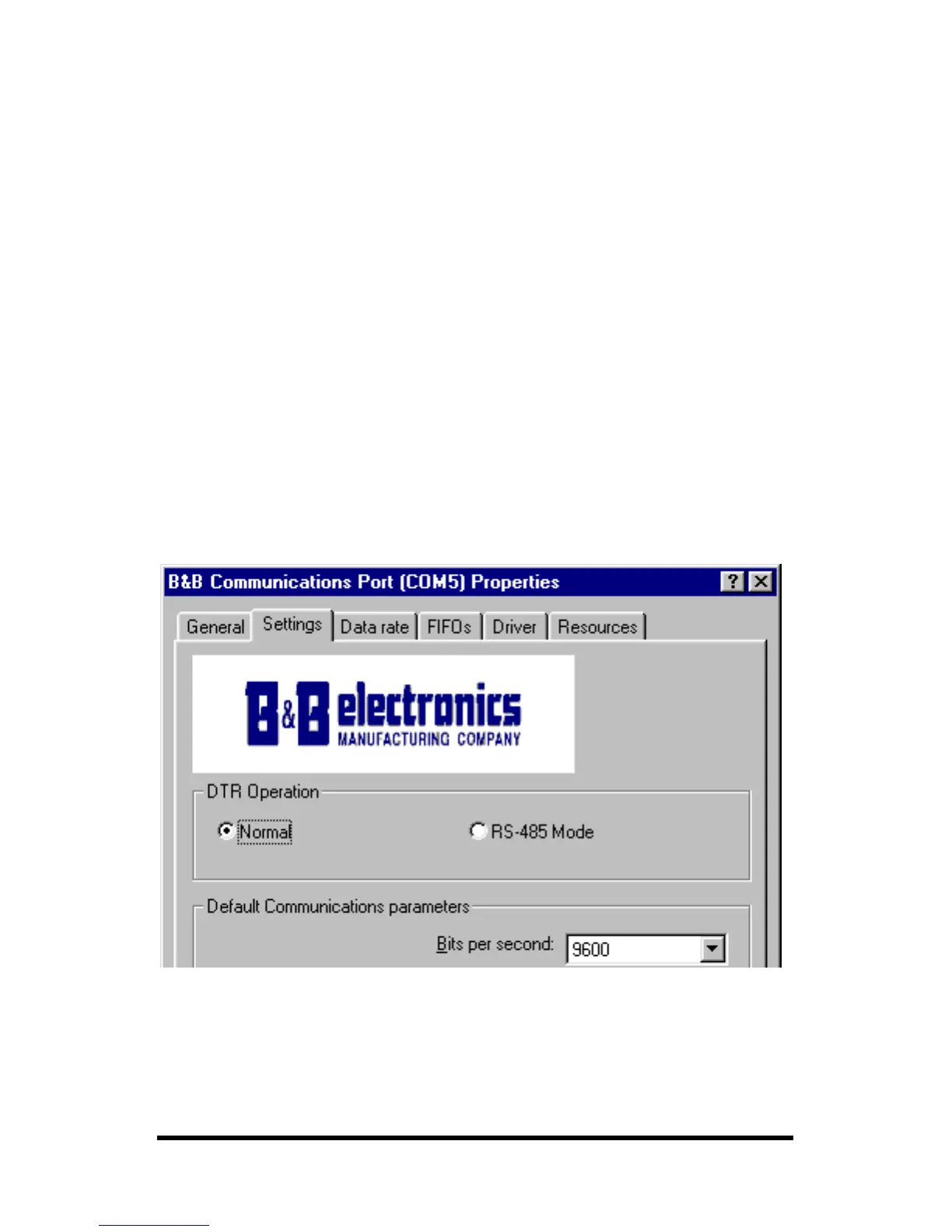
DTR Operation In RS-232 Mode
Example – DTR Operation – Select Normal (Windows 98)
In RS-232 mode, the card supports software and hardware
handshaking. Set the DTR Operation driver Setting to Normal.



 To Next Page