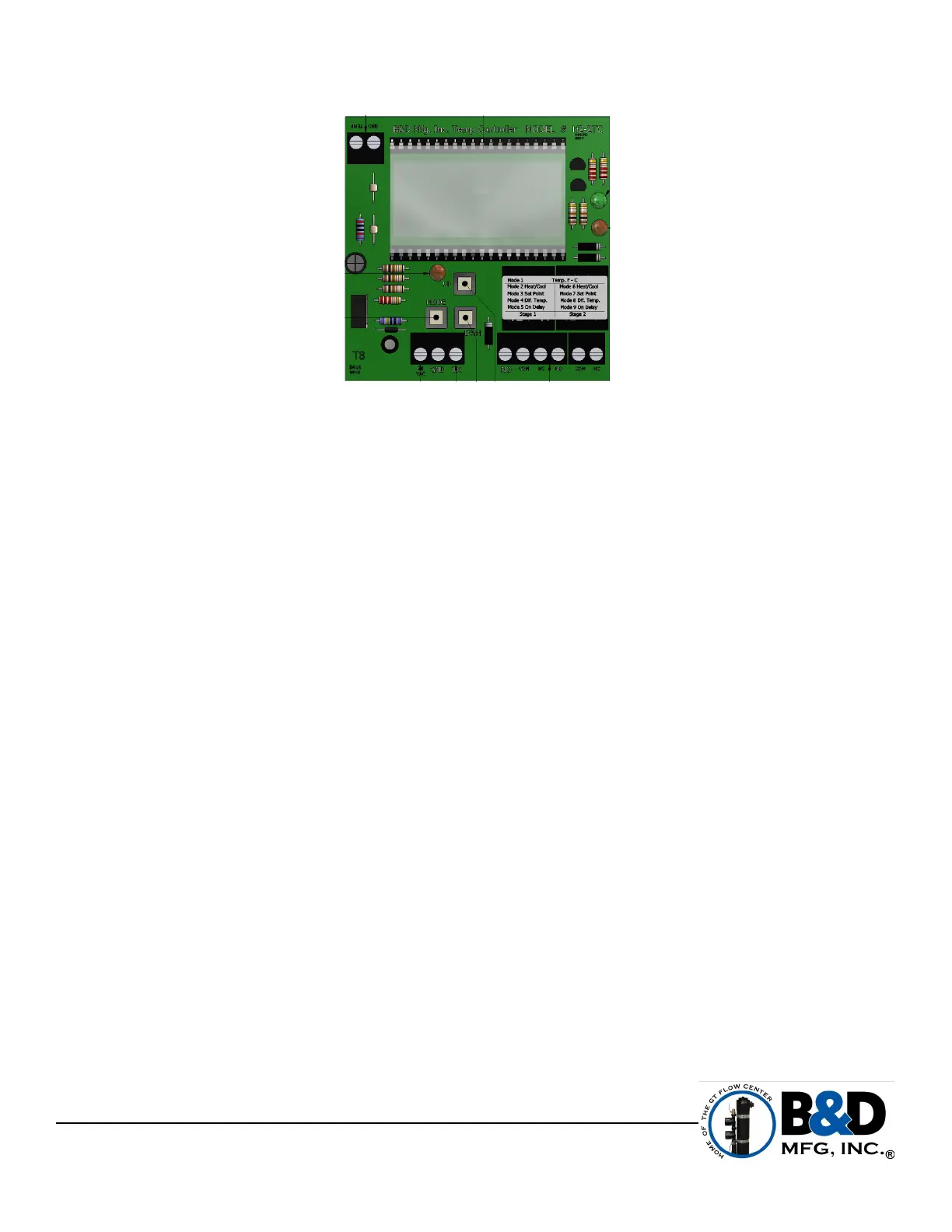
NOTE: The BDCB Pump Control Panel temperature controllers are shipped from the factory already
programmed with heating and cooling set points.
NOTE: For the temperature set points for this unit, please refer to your wiring schematic that is mounted
inside the electrical box. The set points are displayed under the Presets Chart.
1. Power needs to be applied to the BDCB-RC4HP Rotational Load Control Panel, the Temperature controller (s) display
will turn on.
2. Press and hold the MODE button for 5 seconds and it will enter programming mode. After 2 seconds the temperature
scale will show on the LCD display. By pressing the up or down button allows you to change from “FAR” or “CEN”.
3. Press mode button once and enter the control type. The display will show “TY1”. After 2 seconds the LCD will show
“HEA” or “COL”, by pressing the up and down button allows the setting change from “HEA” or “COL”. The setting must be
“COL”.
4. Press the mode button again to change to temperature differential “SP1”. After 2 seconds the LCD will display a
number, by pressing up and down button allows the setting change the number setting.
5. Press the mode again and the LCD displays “HS1”, after 2 seconds the LCD will show current setting. The hysteria
time, would be a built in time delay. By pressing the up and down button to set the desired time. Change to zero to
disable.
6. Press mode button once and enter the control type. The display will show “TY2”. After 2 seconds the LCD will show
“HEA” or “COL”, by pressing the up and down button allows the setting change from “HEA” or “COL”. The setting must be
“HEA”.
7. Press the mode button again to change to temperature differential “SP2”. After 2 seconds the LCD will display a
number, by pressing up and down button allows the setting change the number setting.
8. Press the mode again and the LCD displays “HS2”, after 2 seconds the LCD will show current setting. The hysteria
time, would be a built in time delay. By pressing the up and down button to set the desired time. Change to zero to
disable.
Each controller includes a locking function that will prevent accidental reprogramming. The soft lock is enabled and
disabled by pressing both the UP and DOWN buttons for five seconds. The LCD will show “LOC” to indicate the controller
is locked. The LCD will show “UNL” to indicate that the controller is now unlocked. The soft lock will retain its setting
through power interruptions.
There's also a factory restore option to restore the controllers to their original set points before they are programmed in
the factory. Hold in the mode, up and down buttons simultaneously until the screen displays FAC.
(Approximately 20 seconds)
NOTE: If you use the factory restore option, please note that the temperature set points will need to reset to
your desired setting. Each system may have a different amount of temperature controllers. If you reset
more than one controller, your temperature staging will be incorrect as the reset controllers will have the
same set points.
Scranton, IA 51462
Phone (712) 652-3424
www.bdmfginc.com
10
TEMPERATURE CONTROLLER PROGRAMMING
B&D TEMPERATURE BOARD (H2-2TC)



 To Next Page