Software installation
The GUI required Oracle’s Java 8u191 version or earlier. The V8 update 191 is the last version without
licensing fees which is supporting the serial communication library. Please do not update to a more recent
version. Bandwidth 10 is working for a solution. You can download the JRE directly from Oracle:
https://www.oracle.com/java/technologies/javase/javase8-archive-downloads.html
Please scroll down to “Java SE Runtime Environment 8u191” and download and install the correct Windows
version. Please remember the installation folder.
The GUI does not need an installation. Simply unzip the files to a folder the user can access easily and start
the GUI using the batch file Bw10RefDesignGUI.bat. If the GUI is not started it might be that you have
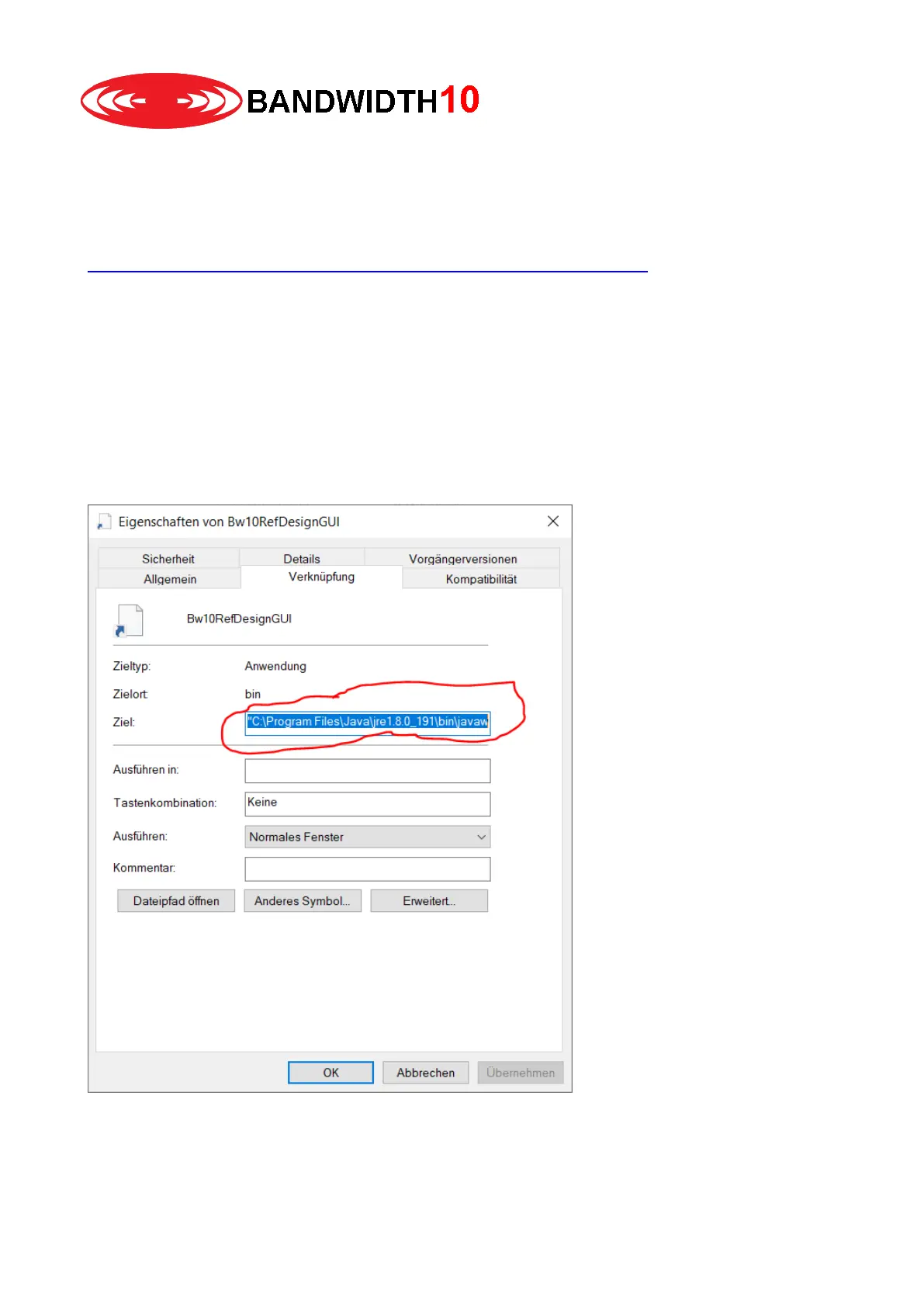
multiple java versions installed on your system. In that case you can use the Bw10RefDesignGUI link file
instead. Simply select the GUI file Bw10RefDesignGUI with a left click (the background becomes light blue)
right click afterwards and select properties. In the dialog window you can edit the path to the link target. The
JRE is typically installed in folder:
C:\Program Files\Java\jre1.8.0_191\bin\javaw.exe:
Once you changed the link please start the GUI with a double click on the link file (not the bat file).


 To Next Page