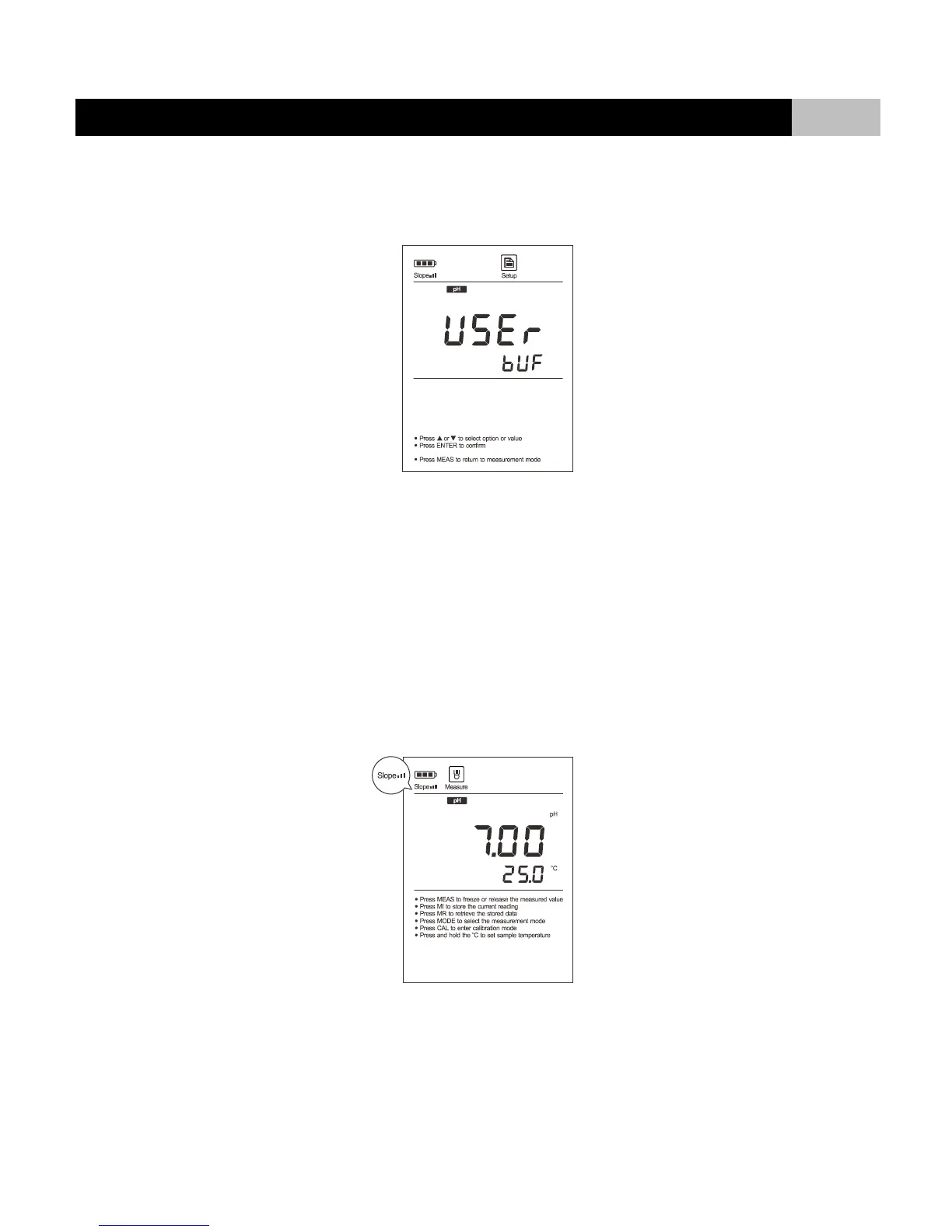
pH CALIBRATION WITH THE USER-DEFINED BUFFERS:
3.1 Make sure that you have selected “USER” option in the setup menu. Custom buffer solution values should be at least 1 pH unit apart from each
other.
3.2 Rinse the pH electrode with distilled water. Dip the electrode into the custom buffer solution. Stir the sensor gently. The meter shows the current
measured value.
3.3 Press or key to increase or decrease displayed value, press ENTER key to confirm. “Calibration” indicator begins flashing.
3.4 Wait for the measured value to stabilize, the display shows “CAL2”. The meter prompts you to continue with second point calibration.
3.5 Rinse the pH electrode with distilled water. Dip the electrode into the next custom buffer solution.
3.6 Press or key to increase or decrease displayed value, press ENTER key to confirm. “Calibration” indicator begins flashing.
3.7 Wait for the measured value to stabilize, the display shows “END”. The meter automatically returns to measurement mode. Calibration is completed.
● During the calibration process, if you want to exit the calibration mode, press MEAS key, the meter will return to measurement mode immediately.
● Electrode indicator shows average slope of the pH electrode after calibration. When the electrode or calibration result does not meet measurement
requirements, the indicator will disappear on the display.


 To Next Page