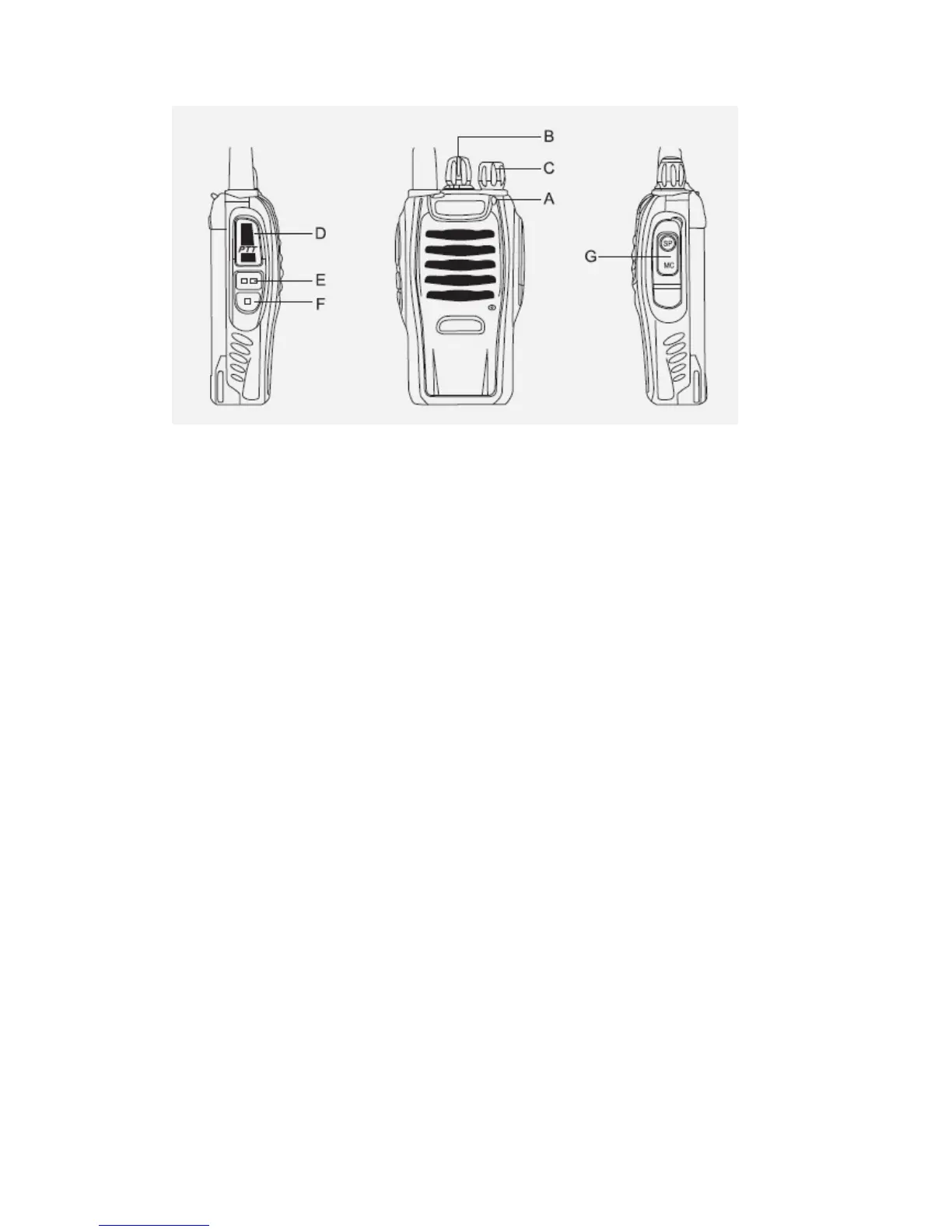
A. Led Indicator-- The LED indicator lights continuously red when
transmitting. And lights green when in reception condition.
B. Channel Switch—Rotate it to select the channel. No.16 channel is
scanning channel.
C. POWER SWITCH/VOLUME CONTROL
Turn clockwise to switch ON the transceiver.
Turn counterclockwise fully to switch OFF the transceiver. Rotate to
adjust the volume.
D.
PTT (PUSH-TO-TALK) BUTTON
Press this button, then speak into the microphone to call a station.
Release to receive a call.
E.
MONITOR BUTTON
Press and hold (Squelch OFF) to hear the background noise; Release to
return to normal operation.
F. FUNCTION KEY—Just press to activate the torch function.
G.
SPEAKER/MICROPHONE JACKS
OPERATION
SWITCHING POWER ON/OFF



 To Next Page