15
switch to the channel mode for normal transmitting and receiving.
When the signal disappears the radio will automatically switch again to FM radio mode.
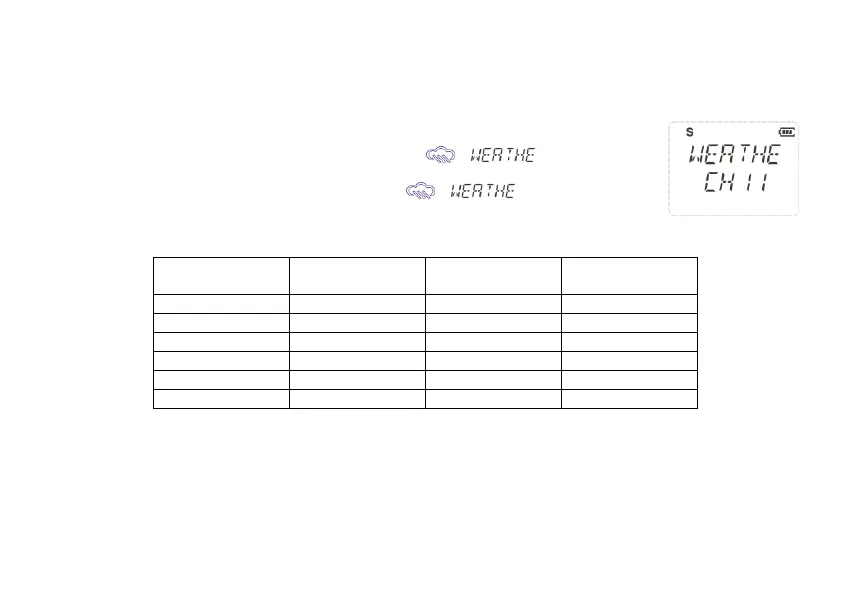
5.11 NOAA Weather Radio
Your radio can receive weather broadcasts from the NOAA National Weather Service.
While using the Weather Radio, you are not able to receive GMRS communications.
1>To turn on the Weather Radio Broadcast mode, press [MONI
]. appears.
2> Press [+UP]/[-DOWN] to select the desired number of weather channels.
3> To exit the Weather Radio Broadcast mode, press [MONI
]. disappears.
NOTE: There are 11 NOAA channel frequencies available and these frequencies are common
between the US and Canada. You need to know what frequency is being transmitted in your location.
NOAA Weather Radio Frequency List:
(MHz)
(MHz)
5.12 1000Hz, 1450Hz, 1750Hz Tone-burst
To send out a tone-burst; you simultaneously will press a key while holding down the PTT. No further configuration required
using this feature.
The following configurations will transmit accordingly:
•[PTT] +[-DOWN] = Transmits 1450Hz Tone Burst
•[PTT] +[+UP] = Transmits 1750Hz Tone Burst
•[PTT] +[MENU] = Transmits 2100Hz Tone Burst


 To Next Page