http://www.baofengradio.us 18
http://baofengradio.us
Menu and Function Buttons
The button is used to access the menu and to confirm menu options.
The and buttons are used to navigate through the menu items, as well as to select channels, and to step
up or down in frequency (depending on operating mode).
The button is used to exit menus and cancel menu options.
Accessory Jack
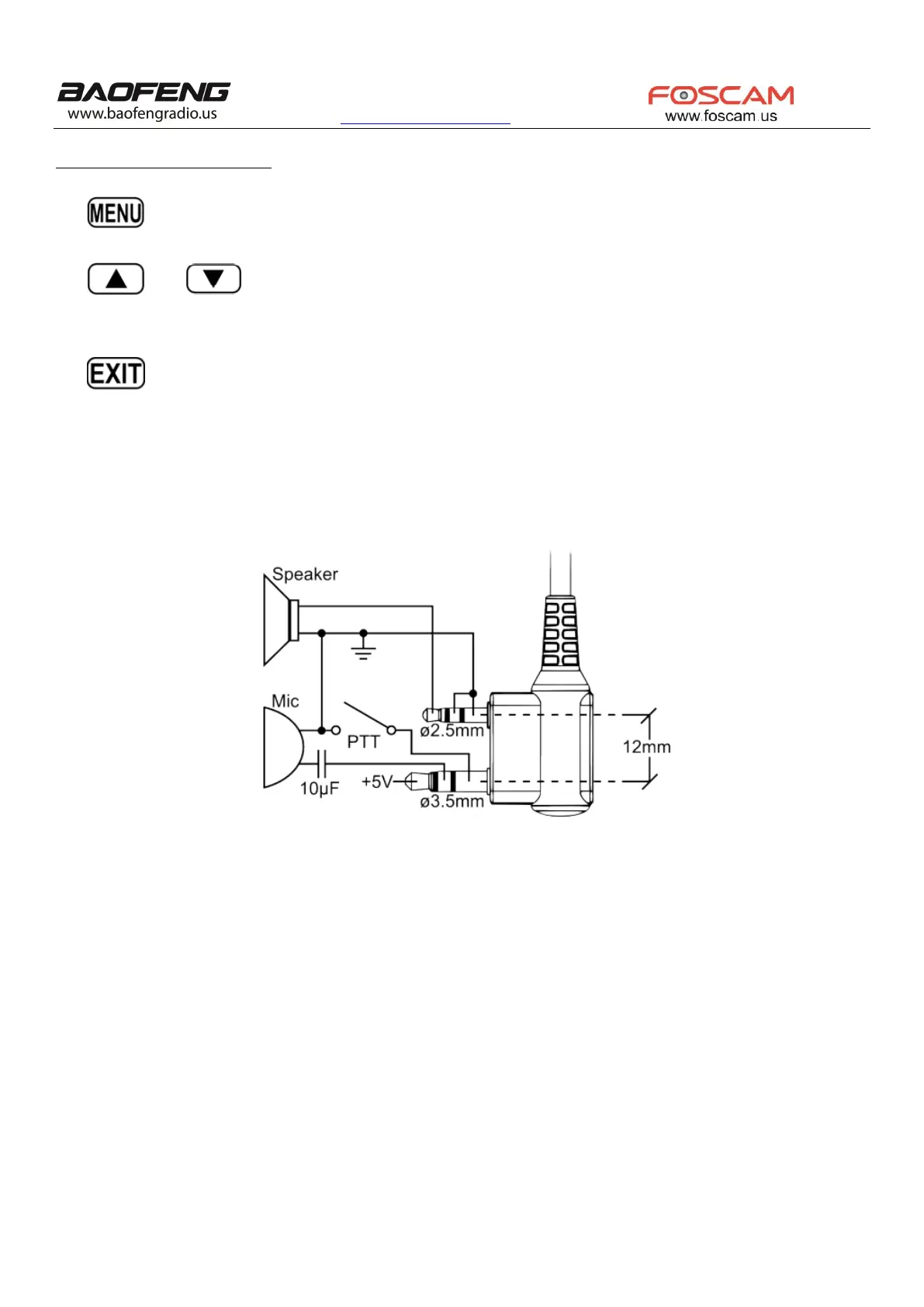
The accessory jack on the Baofeng UV-5R is a Kenwood compatible two pin design.
The Kenwood 2-pin connector has one 3.5mm TRS plug, and one 2.5mm TS plug, with 12mm of space in between.
To attach accessories such as headsets, speaker, microphones, or USB PC cables, align the connectors and push the plugs in fully.
Ensure the radio is turned off before attaching any accessories.


 To Next Page