http://www.baofengradio.us 26
http://baofengradio.us
Dual Watch / Dual Reception
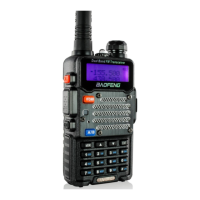
One of the unique capabilities on the Baofeng UV-5R radio is the ability to monitor two channels at once. This is accomplished by
a feature in the radio known as Dual Watch, which allows the radio to switch between two frequencies at a fixed interval,
despite it only containing one receiver. The Dual Watch functionality also allows the ability to lock the transmit frequency to one
of the two channels it monitors. Note: While in Dual Watch mode, certain functions are not available. The below functions are
disabled when Dual Watch is active.
Reverse function
Usage of [POUND] button to switch between high and low transmit powers in channel mode
Saving of duplex channels
To enable the Dual Watch function, follow the steps below:
Procedure: Enabling or Disabling Dual Watch Mode
1. Press the [MENU] button to enter the menu.
2. Enter [7] on the numeric keypad to get to Dual Watch.
3. Press the [MENU] button to select.
4. Use the [UP] and [DOWN] buttons to enable or disable Dual Watch mode.
5. Press the [MENU] button to confirm.
6. Press the [EXIT] button to exit the menu.
Whichever one of the A or B channels goes active first will be the default one to transmit on. This can be problematic when
listening to a frequency that does not permit transmission from the device. To assist with this, there is a menu option to enable
locking the transmitter to either the A or B channel, as per the selection. Please see below for steps on how to activate this:
Procedure: Locking the Dual Watch Transmit Channel
1. Press the [MENU] button to enter the menu.
2. Enter [3] [4] on the numeric keypad to get to TDR-AB.
3. Press the [MENU] button to select.
4. Use the [UP] and [DOWN] buttons to select either A (upper) or B (lower) displays.
5. Press the [MENU] button to confirm.
6. Press the [EXIT] button to exit the menu.
Note: To momentarily override the lock without having to setting the menu option to OFF, press the [A/B] button an instant
before pressing the [PTT] button.


 To Next Page