http://www.baofengradio.us 31
http://baofengradio.us
Customization
The Baofeng UV-5R allows for customization of both the power-on message (via the Baofeng PC software), and the backlight
color during the three states of transmission (Transmit, Receive, and Standby).
Display
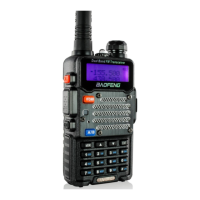
The LCD on the Baofeng UV-5R is backlit by multi-color LEDs, the color of which can be pre-set from the menu system into a
variety of colors.
To change the colors, follow the steps below:
Procedure: Changing the Backlight Color
1. Press the [MENU] button to enter the menu.
2. Enter one of the following on the numeric keypad:
a. [2] [9] to change the Standby color.
b. [3] [0] to change the Receive color.
c. [3] [1] to change the Transmit color.
3. Press the [MENU] button to select.
4. Use the [UP] and [DOWN] buttons to select the desired color.
5. Press the [MENU] button to confirm and save.
6. Press the [EXIT] button to exit the menu.
To change how long the backlight stays on, follow these steps:
Procedure: Setting Backlight Time-Out duration
1. Press the [MENU] button to enter the menu.
2. Enter [6] on the numeric keypad to get to the Backlight Time-Out settings.
3. Press the [MENU] button to select.
4. Use the [UP] and [DOWN] buttons to increase or decrease the amount of time the backlight stays on.
5. Press the [MENU] button to confirm and save.
6. Press the [EXIT] button to exit the menu.


 To Next Page