EasyManua.ls Logo

Baofeng UV-81C - User Manual

Baofeng UV-81C
4 pages
Print Icon
To Next Page IconTo Next Page
Loading...
UV-81C
5 Watt 80 Channel UHF CB Radio
PLEASE NOTE: CHANNELS 1 TO 8 ARE PROGRAMMED
FOR REPEATER USAGE ONLY AND USABLE ONLY IF A
REPEATER IS AVAILABLE IN YOUR AREA.
USER
INSTRUCTIONS
Thank you for purchasing your new UV-81C Portable
Radio. This fully pre-programmed radio is easy to use
and designed to deliver you instant and reliable
communications at peak efficiency. Please read this
manual carefully before use. The information will help
you to enjoy maximum performance from your radio.
Channel Description
1 Ch1 Repeater (Semi Duplex)
2 Ch2 Repeater (Semi Duplex)
3 Ch3 Repeater (Semi Duplex)
4 Ch4 Repeater (Semi Duplex)
5 Ch5 Repeater (Semi Duplex)
6 Ch6 Repeater (Semi Duplex)
7 Ch7 Repeater (Semi Duplex)
8 Ch8 Repeater (Semi Duplex)
9 Ch9 Simplex
10 Ch10 Simplex - 4WD / Off-road
11 Ch11 Simplex - Call channel
12 Ch12 Simplex
13 Ch13 Simplex
14 Ch14 Simplex
15 Ch15 Simplex
16 Ch16 Simplex
17 Ch17 Simplex
18 Ch18 Simplex - Motor-homes
19 Ch19 Simplex
20 Ch20 Simplex
21 Ch21 Simplex
22 Disabled - Telemetry Only
23 Disabled - Telemetry Only
24 Ch24 Simplex
25 Ch25 Simplex
26 Ch26 Simplex
27 Ch27 Simplex
28 Ch28 Simplex
29 Ch28 Simplex
30 Ch28 Simplex
31 Ch1 Repeater Input
32 Ch2 Repeater Input
33 Ch3 Repeater Input
34 Ch4 Repeater Input
35 Ch5 Repeater Input
36 Ch6 Repeater Input
37 Ch7 Repeater Input
38 Ch8 Repeater Input
39 Ch39 Simplex
40 Ch40 Simplex Road Channel
41 Ch41 Simplex
42 Ch42 Simplex
43 Ch43 Simplex
44 Ch44 Simplex
45 Ch45 Simplex
46 Ch46 Simplex
47 Ch47 Simplex
48 Ch48 Simplex
49 Ch49 Simplex
50 Ch50 Simplex
51 Ch51 Simplex
52 Ch52 Simplex
53 Ch53 Simplex
54 Ch54 Simplex
55 Ch55 Simplex
56 Ch56 Simplex
57 Ch57 Simplex
58 Ch58 Simplex
59 Ch59 Simplex
60 Ch60 Simplex
61 Disabled - Telemetry Only
62 Disabled - Telemetry Only
63 Disabled - Telemetry Only
64 Ch64 Simplex
65 Ch65 Simplex
66 Ch66 Simplex
67 Ch67 Simplex
68 Ch68 Simplex
69 Ch69 Simplex
70 Ch70 Simplex
71 Ch71 Simplex
72 Ch72 Simplex
73 Ch73 Simplex
74 Ch74 Simplex
75 Ch75 Simplex
76 Ch76 Simplex
77 Ch77 Simplex
78 Ch78 Simplex
79 Ch79 Simplex
80 Ch80 Simplex
With Voice Prompts
www.techoman.co.nz
Question and Answer IconNeed help?

Do you have a question about the Baofeng UV-81C and is the answer not in the manual?

Summary

User Instructions

Channel 1 to 8 Usage Note

Channels 1 to 8 are programmed for repeater usage only and are usable only if a repeater is available in your area.

Equipment

Radio Overview

Details on the BAOFENG UV-81C radio components, including antenna, buttons, speaker, microphone, and indicator lights.

Channel Selector

Instructions on how to use the UP/DOWN buttons to select the desired channel on the radio.

Accessories

Available Parts

List of available parts and accessories for the BAOFENG UV-81C radio, including antennas, batteries, and microphones.

Safety Warnings

General Precautions

Important safety warnings regarding radio transmission, proximity to flammable atmospheres, and unsupervised child operation.

Environmental Precautions

Guidance on avoiding extreme temperatures, water, moisture, dust, and unauthorized modification of the radio.

Important Information

Reading Instructions

Advice to read all instructions carefully before operating the radio and retain the manual for future reference.

Power Source

Warning not to connect the radio to any power source other than the supplied battery to avoid damage.

Damaged Antenna

Instruction not to use the radio with a damaged antenna.

Storage Conditions

Recommendation to avoid storing or charging the radio in direct sunlight.

About UHF CB Radio

License and Regulations

Information on the Citizen Band radio service license in New Zealand and compliance with the UHF CB 477 MHz band plan.

Narrowband vs. Wideband

Explanation of narrowband (12.5 kHz) and wideband (25 kHz) radios and their impact on channel capacity and compatibility.

Interference

Guidance on managing interference from adjacent channels or transmissions from different radio types.

Unusable Channels

Allocated Channels

Information on channels 22, 23, 61, 62, & 63 being allocated for telemetry only and skipped by the radio.

Fitting Battery

Installation

Step-by-step guide for installing the battery into the radio, ensuring proper alignment and contact.

Removal

Instructions on how to safely remove the battery from the radio by releasing the latches.

Battery Charging

Charging Procedure

Steps for charging the radio or battery using the specified charger, including LED indicator meanings.

Warning

Important warning to turn off the radio before charging to ensure a full charge.

Battery Tips

Low Battery Prompt

Notification of the 'Battery Low' voice prompt when the battery level is getting low.

Charging Temperature

Recommended temperature range (5°C to 40°C) for charging to prevent leakage or damage.

Initial Use

Guidance for initial battery use, including charging for 5 hours and achieving capacity after cycles.

Prolonging Battery Life

Tips for extending battery life, including handling cold weather and cleaning contacts.

Battery Storage

Recommendations for storing batteries long-term to avoid damage and maintain capacity.

Fitting Antenna

Antenna Installation

Instructions on how to properly install the antenna by holding the base and turning clockwise.

External Antenna Note

Guidance on using external antennas, ensuring SWR is about 1.5:1 or less to avoid transceiver damage.

Transmission Warning

Critical warning to never transmit without an antenna attached to the radio.

Radio Settings

Function Setting Menu

How to enter the function setting menu by pressing and holding the MENU key for 2 seconds.

Squelch Level

Setting the squelch level, with default at 3 and 0 for open squelch.

Saving Mode

Adjusting battery save mode from 1 to 4 for receive sleep ratio.

VOX Setting

Selecting Voice Activated Switch level from off to 10 for microphone sensitivity.

Dual Standby

Option to leave Dual Standby turned on for both PTT buttons to work.

BEEP Setting

Option to turn button beeping on or off.

Voice Prompt Language

Selection between English and Chinese for voice prompt language.

Channel Scanning

Activating Scan

How to activate channel scanning by pressing and holding the channel UP button.

Scan Indicator

Description of the green light flashing during scanning and radio holding for transmission.

Stopping Scan

How to stop scanning by pressing the PTT1 or PTT2 button.

FM Radio Receiver

FM Radio Operation

Instructions on switching on FM radio, searching stations using UP/DOWN buttons, and muting for incoming communication.

Turning Off FM Radio

How to turn off the FM radio by pressing the [M] button.

Specifications

Voltage

Specifies the battery voltage as 7.4 Volts.

Transmitter Specs

Details output power, transmission type, frequency range, deviation, and adjacent channel power.

Receiver Specs

Details receiver sensitivity and audio power.

Overview

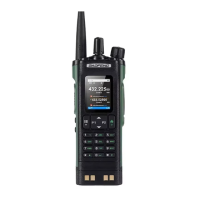
The Baofeng UV-81C is a 5 Watt 80 Channel UHF CB Radio designed for instant and reliable communications. It operates with voice prompts and is fully pre-programmed for ease of use.

Function Description:

The UV-81C serves as a portable two-way radio for Citizen Band (CB) radio service, which is licensed in New Zealand by the Ministry of Economic Development (MED). Users can utilize these channels free of charge, subject to operational conditions of the license. The radio meets the latest UHF CB 477 MHz band plan with 80 channels, adhering to the AS/NZS 4365:2011 standard.

The radio supports both simplex and duplex communication. Channels 1 to 8 are specifically programmed for repeater usage, which is only effective if a repeater is available in the user's area. Otherwise, channels 9 to 80 are used for direct communication. Channels 22, 23, 61, 62, and 63 are designated for telemetry-only applications by ACMA regulations, prohibiting speech transmission on them; consequently, the UV-81C will skip these channels during operation.

The device includes an FM Radio receiver, allowing users to listen to music, news, and other broadcasts. The FM radio automatically mutes during incoming communication and resumes when the communication ends.

Important Technical Specifications:

  • Voltage: 7.4 Volts (Battery)
  • Transmitter:
    • Output Power: 5 Watts (high) / 1 Watt (low)
    • Transmission Type: Narrow Band FM (F3E)
    • Frequency Range: 476.425 to 477.4125 MHz
    • Maximum Frequency Deviation: 2.5kHz
    • Adjacent Channel Power: < -60dB
  • Receiver:
    • Sensitivity: -122dBm (12dB SINAD)
    • Audio Power: 1 W
  • Antenna: SMA male 50 ohm connector.

Usage Features:

The UV-81C features a user-friendly interface with several buttons and controls:

  • Antenna: Connects via an SMA male 50 ohm connector.
  • [MENU] button: Press and hold for 2 seconds to enter the function setting menu.
  • [UP] button: Used to step up to the next channel. Press and hold to enter channel scan mode, press again to cancel.
  • [DOWN] button: Used to step down to the next channel. Press and hold for fast channel stepping.
  • [EXIT/LOCK] button: Press and hold for 2 seconds to lock or unlock the keypad.
  • Knob (ON/OFF/Volume): Powers the radio on/off and adjusts audio speaker volume.
  • Flash light: Press [M] button to switch on the LED light.
  • Speaker: For audio output.
  • Microphone: For voice input.
  • Belt Clip Mounting: Point for attaching a belt clip.
  • Press to Talk (PTT1) / (PTT2): Buttons to transmit.
  • [F] button: Press for FM radio. Press and hold for emergency call/alarm, which transmits the alarm to other radios on the channel. Press [F] or PTT to switch off the alarm. Another user can respond by calling the originator.
  • [M] button: Press for LED light. Press and hold for channel monitor (open squelch).
  • Hand strap hole: For attaching a hand strap.
  • Microphone and Speaker Sockets: Requires a Baofeng/Kenwood external microphone/earpiece with a K-type connector.
  • Indicator lights: Green for receive, red for transmit.

Radio Settings:

The radio offers several customizable settings accessible via the [MENU] key:

  1. Squelch level: Default is 3. 0 is open, while 9 requires the strongest signal.
  2. Saving mode (Battery save mode): Options from 1 to 4. A higher number increases the receive sleep time but may cause the user to miss the first few syllables. (1=1:1, 2=1:2, 3=1:3, 4=1:4).
  3. VOX (Voice Activated Switch): Levels from off to 10. 1 is low microphone sensitivity, 10 is high sensitivity.
  4. Dual Standby: Should be left on for both PTT buttons to work.
  5. BEEP: Button beeping can be turned on or off.
  6. Voice Prompt Language: English and Chinese selection.

Channel Scanning:

To activate channel scanning, press and hold the [UP] button. The green light will flash, and the radio will hold for a transmission before continuing 2 seconds after transmission. Press [PTT1] or [PTT2] to stop scanning.


Maintenance Features:

  • Battery Installation/Removal: The battery slides into place and locks with a "click." To remove, squeeze latches and slide down.
  • Battery Charging: Use only the manufacturer-specified charger. The charger's LED indicates charging progress (red for charging, green for full). The radio should be turned off during charging for a full charge.
  • Antenna Installation: Install the antenna by holding its base and turning clockwise. Do not over-tighten. If using an external antenna, ensure the 'SWR' is about 1.5:1 or less to prevent damage to the transceiver's final transistors.
  • Battery Tips:
    • A "Battery Low" voice prompt indicates low battery.
    • Charge batteries between 5°C and 40°C to prevent leakage or damage.
    • Never charge a wet battery; dry it with a soft cloth first.
    • Batteries wear out over time; replace when operating time significantly shortens.
    • New batteries are shipped uncharged; charge for 5 hours before initial use. Maximum capacity is achieved after three full charge/discharge cycles.
    • To prolong battery life, avoid temperatures below 0°C. Keep a spare battery in cold weather.
    • Clean battery contacts with a dry cloth if dust causes charging issues.
  • Battery Storage:
    • Fully charge batteries before long-term storage to prevent over-discharge damage.
    • Recharge after 6 months of storage to prevent capacity reduction.
    • Store in a cool, dry place at room temperature to reduce self-discharge.

Safety Warnings:

  • The radio is a transmitting device.
  • When transmitting, keep the antenna more than 25 mm from any part of the head or body.
  • Do not transmit near flammable or explosive atmospheres.
  • Do not allow children to operate the radio unsupervised.
  • Never connect the radio to a power source other than the supplied battery.
  • Do not use the radio with a damaged antenna.
  • Avoid storing or charging the radio in direct sunlight.
  • Avoid storing or using the radio where temperatures are below -20°C or above +60°C.
  • Always charge the radio at normal room temperature.
  • Only use Baofeng approved rechargeable batteries with the supplied charger.
  • Always switch off the radio where notices restrict the use of two-way radio or mobile telephones.
  • Avoid exposing the radio to water, moisture, or dust, as it is not waterproof.
  • Do not attempt to modify the radio in any way.
  • Never transmit without an antenna.

Baofeng UV-81C Specifications

General IconGeneral
BrandBaofeng
ModelUV-81C
CategoryRadio
LanguageEnglish

Related product manuals