EasyManua.ls Logo

Baofeng BF-F8HP - User Manual

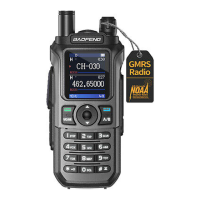
Baofeng BF-F8HP
3 pages
Print Icon
To Next Page IconTo Next Page
Loading...
BaoFeng BF-F8HP Radio Basic Setup and operation
Note of Encouragement
In a crisis situation, you are not required to have a license to operate a HAM radio. However, it will
matter that you know how to operate a HAM radio. I encourage all who read this to familiarize
yourself with understanding how to operate a HAM radio. I also encourage you to follow up and study
for the technician license which is the minimum license required for non-crisis HAM radio operation.
The most common material to study is the American Radio Relay League (ARRL) Technician manual.
There is also a web site called: www.hamexam.org where you can take a practice exam for the
technician license. This web site also contains the entire pool of exam questions which will also help
you to learn the technician requirements.
After you have studied and feel confident enough to take the license exam, you can find an exam
location through the ARRL web site at: http://www.arrl.org/exam_sessions/search. Most locations run
exam sessions on a regular basis.
Mandatory Equipment:
Baofeng radio model BF-F8HP (do not order BF-F8) hand transceiver (HT) (~$62 on Amazon)
Optional Equipment (highly encouraged)
Nagoya NA-771 Radio Antenna, SMA Female 15.6” Whip VHF/UHF (~$15 on Amazon)
Hypario SMA-Male UT108 Dual Band 144/430MHz Antenna (~$20 on Amazon)
The Whip antenna is used to replace the standard antenna that comes with the HT and improves
distance.
The Hypario antenna is magnetic mount and is intended to be used mounted on the top center of a car.
This by far gets the best transmission quality for distance.
Basic Settings
1. Radio (HT) settings are changed using the “MENU” button. The HT is setup with default
settings for simplex operation. Only the squelch setting needs to be changed when the HT is
unpackaged from the box. Each setting can be accessed by first pressing the “MENU” button.
There are 40 different MENU settings. Each setting also has a number associated with it that
flashes in the upper right hand corner. There are two different ways to get to each setting.
a. Press “MENU” and then use the UP/DOWN arrows (white triangles) to scroll through
the various settings.
b. Press “MENU” and then immediately type a number between zero and 40
c. NOTE: at anytime if you feel you have messed up, press “EXIT” to cancel and then you
can try again.
2. Squelch (SQL)
a. Press “MENU” and then press either the UP or DOWN arrows to get to SQL (setting
zero)
b. Press “MENU” a 2
nd
time to change the setting
c. Press “1” to set the squelch setting to one (always use squelch setting of one)
d. Press “MENU” again. You should hear an audible “confirmed”. The setting is now
entered and will always be remembered.

Other manuals for Baofeng BF-F8HP

Question and Answer IconNeed help?

Do you have a question about the Baofeng BF-F8HP and is the answer not in the manual?

Summary

BaoFeng BF-F8 HP Radio Basic Setup and Operation

Note of Encouragement

Provides encouragement and guidance for obtaining a technician license.

Mandatory Equipment

Lists essential equipment required for operating the radio.

Optional Equipment

Lists optional but highly recommended accessories to improve radio performance.

Basic Settings

Details initial configuration steps for the radio, focusing on default settings.

Squelch (SQL) Adjustment

Explains how to adjust the squelch setting to one for optimal operation.

Simplex Operation Setup

Repeater Operation Setup

Frequency Setting

Details entering the correct repeater frequency for communication.

Offset Configuration

Describes how to set the frequency offset for repeater use.

Offset Direction Selection

Explains how to select the correct transmit offset direction (+ or -).

CTCSS Tone Setting

Guides on setting the CTCSS tone for repeater access.

IRLP Repeater Communication

Overview

The BaoFeng BF-F8HP is a hand-held transceiver (HT) designed for two-way radio communication, particularly useful for amateur radio (HAM) operations. It is presented as a crucial tool for communication, especially in crisis situations where traditional communication methods might be unavailable. While a license is typically required for HAM radio operation in non-crisis scenarios, the manual emphasizes the importance of understanding how to operate the device regardless, and encourages users to study for the technician license.

Function Description

The primary function of the BF-F8HP is to enable simplex (direct two-way) and repeater-assisted radio communication over VHF/UHF frequencies. It allows users to transmit and receive voice signals, facilitating communication over varying distances. The device supports both direct radio-to-radio communication and more extended range communication through repeaters, which re-broadcast signals to cover larger areas. A key advanced feature is its compatibility with the Internet Radio Linking Project (IRLP), which allows the radio's signal to be sent over the internet to other IRLP-capable repeaters, effectively extending communication globally. This IRLP capability is highlighted as particularly robust during a national crisis, as it relies on the general internet infrastructure rather than potentially vulnerable cell towers or specific web services.

Usage Features

The BF-F8HP is designed for user-friendly operation, with settings primarily adjusted via the "MENU" button and a numeric keypad.

  • Basic Setup and Squelch: Upon unboxing, the only mandatory setting change is the squelch (SQL) level, which filters out background noise. This is set to "1" for optimal performance. The menu system allows users to navigate through 40 different settings using UP/DOWN arrows or by directly typing a setting number. An "EXIT" button is available to cancel changes if a mistake is made.
  • Simplex Operation: To use the radio for direct, short-range communication, users first turn on the unit and toggle the "VFO/MR" button until "frequency mode" is announced. The blue A/B switch selects the active frequency display. Users then input the desired 6-digit simplex frequency using the keypad. Transmission is initiated by pressing the Push to Talk (PTT) button, indicated by a red LED, while reception is indicated by a green LED when a signal is above the squelch level.
  • Repeater Operation: For extended range, the radio can connect to repeaters. This requires configuring four settings: frequency, offset, offset direction, and CTCSS tone.
    • Frequency: The repeater's operating frequency is entered as in simplex mode.
    • Offset: This setting determines the frequency difference between the transmit and receive frequencies when using a repeater. It's entered numerically via the menu.
    • Offset Direction (SFT-D): Users select either "OFF" (for simplex), "-" (minus offset), or "+" (plus offset) to indicate how the transmit frequency shifts relative to the receive frequency. Repeater directories typically list this as "+" or "-".
    • CTCSS Tone (T-CTCS): This is a sub-audible tone used to access specific repeaters, preventing interference from other users. The tone number is selected from the menu using UP/DOWN arrows. Repeater directories may refer to this as "PL," "Tone," or "CODE IN."
  • IRLP Operation: To utilize the Internet Radio Linking Project, users first set up their radio to access a local IRLP-capable repeater, following the standard repeater setup (frequency, offset, offset direction, CTCSS tone). Next, they identify the IRLP code for the desired long-distance repeater. To connect, the user presses and holds the PTT button while simultaneously entering the IRLP code on the keypad. The local repeater node will confirm a successful connection. Once connected, normal radio conversation can proceed. The node remains locked, eliminating the need to re-enter the code for subsequent transmissions. To disconnect from IRLP, users press PTT and enter the code "73."
  • Antenna Options: The manual recommends optional antennas to enhance performance. The Nagoya NA-771 Radio Antenna (SMA Female 15.6" Whip VHF/UHF) replaces the standard antenna for improved distance. The Hypario SMA-Male UT108 Dual Band 144/430MHz Antenna, a magnetic mount antenna, is suggested for mounting on a car's roof for optimal transmission quality and distance.

Maintenance Features

The manual does not explicitly detail maintenance features but implies that the device is generally robust and designed for consistent use. The emphasis is on proper setup and understanding of its functions rather than ongoing physical maintenance. The "Note of Encouragement" suggests that familiarity with the device's operation is key to its effective use, particularly in critical situations. The mention of future updates for features like "reflector" connections for multiple users indicates ongoing development or support for the device's capabilities, implying a commitment to its long-term utility.

Baofeng BF-F8HP Specifications

General IconGeneral
Modulation ModeFM
Channels128
Dimensions110 x 58 x 32 mm
Operating Voltage7.4V DC
Frequency Stability±2.5 ppm
Operating Temperature-20°C to +60°C
WaterproofNo
Frequency Range136-174 MHz, 400-520 MHz
Output Power1W/4W/8W
Antenna Impedance50 Ω
Channel Spacing12.5/25 kHz

Related product manuals