Basic settings
Water level calibration
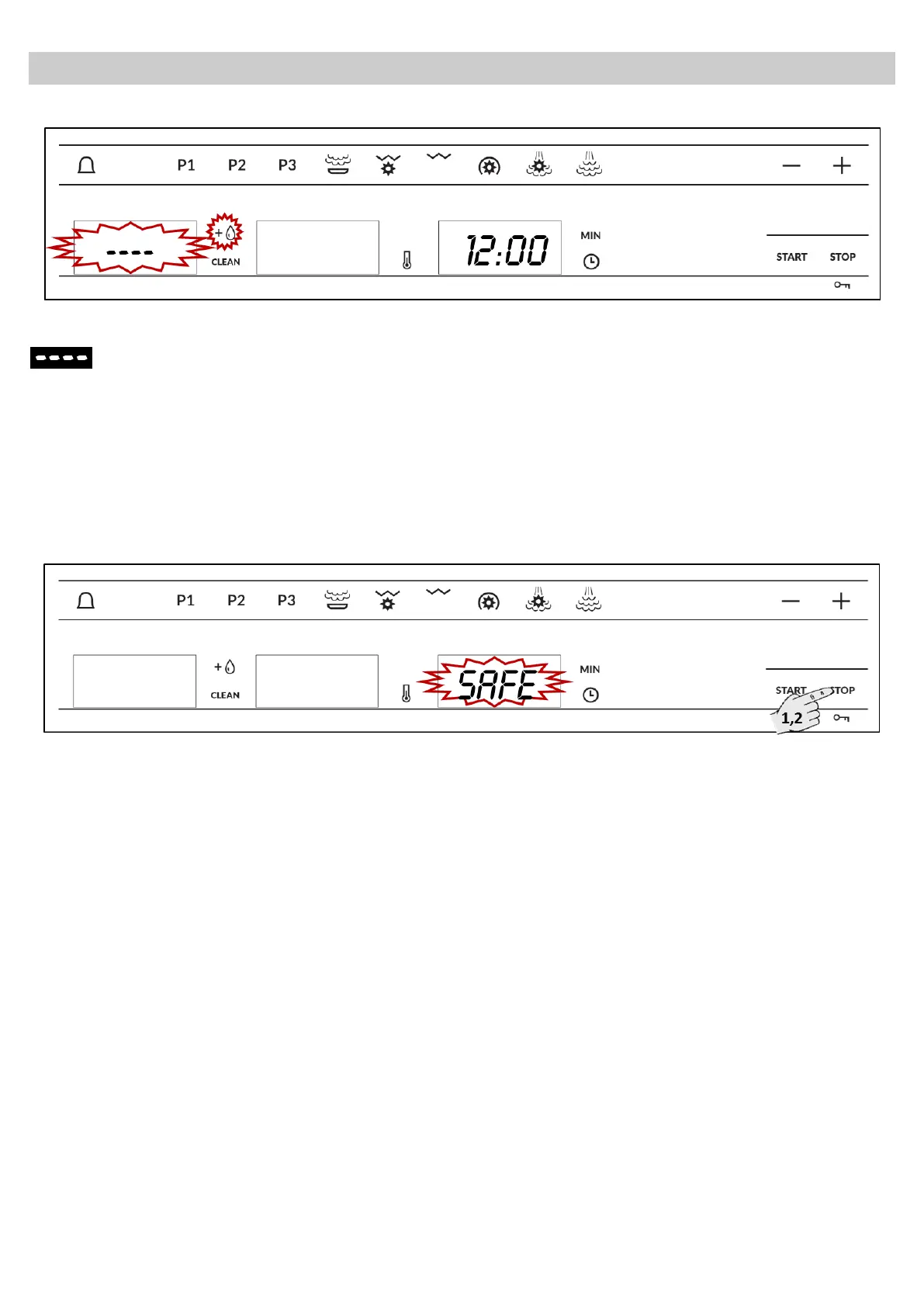
After setting the water hardness, appears
in the Display and the water level light
shines.
Please take the Water tank completely off. Wait
until the display and the Water tank light
disappears. Then place the water tank again in
its position. The oven is ready to use.
Safety blocking
The oven functioning can be blocked (for example, to stop it being used by children).
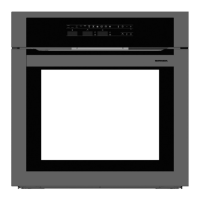
1. To block the oven, press the Stop key for 3
seconds. You will hear a sound signal and the
display will show the word “SAFE”. The oven is
blocked in this state and cannot be used.
2. To unblock the oven, press the Stop key again
for 3 seconds. You will hear a sound signal and
the display will show the time again.


 To Next Page