8
Basic settings
Initial Settings
After your steam oven is first plugged in or after a
power failure, the clock display will flash to
indicate that the time shown is not correct.
The oven will not operate until the clock, the water
hardness parameter and the Calibration is set.
To set the clock and the water hardness
parameter value proceed as described in the
following chapters.
Setting the clock
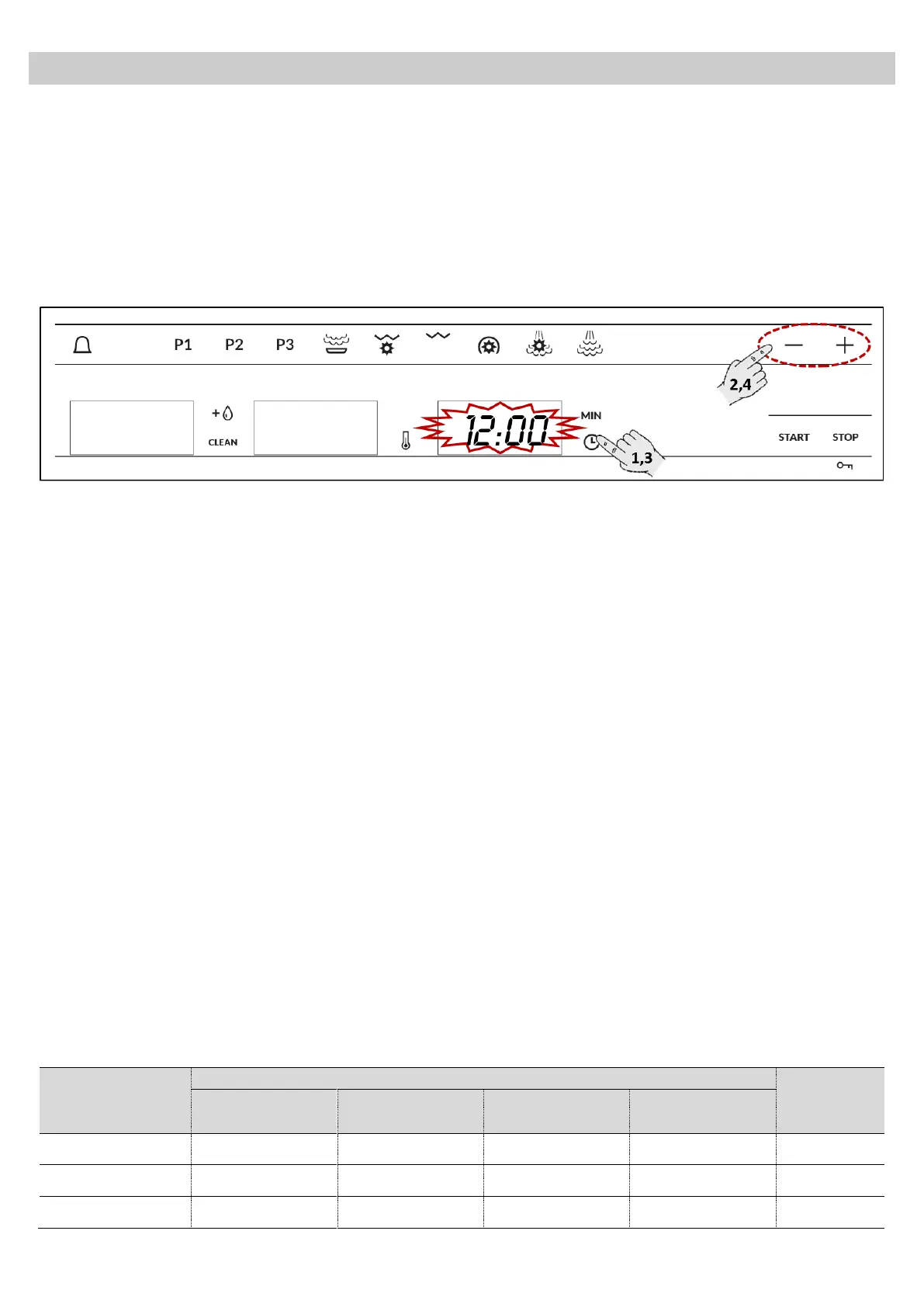
To set the clock, proceed as follows:
1. Press the Clock key. The hour numbers will
start to flash (not necessary if your Steam oven
is first plugged in or after a power failure).
2. Press the “+” and “–” to set the correct hour
value.
3. Press again the Clock key to set the minutes.
The minute numbers will start to flash.
4. Press the “+” and “–” to set the correct minute
value.
5. To finish, press the Clock key again.
Hiding/Displaying the Clock
If the clock display disturbs you, you can hide it by
pressing the Clock setting key for 3 seconds. The
dots that separate the hours and minutes will flash
but the rest of the clock display will be hidden.
If you want to see the clock display again, press
the Clock setting key again for 3 seconds.
Water Hardness setting
The appliance features a system that
automatically indicates when it is time to descale.
The system can be optimised for households with
very soft water (also through using a water
softening appliance) and very hard water, by
changing the user settings to the relevant range of
water hardness (see table below).
To set the water hardness parameter, proceed as
follows:
1. After setting the clock the hardness number will
start to flash on the Descale display (not
necessary if your Steam oven is first plugged in
or after a power failure).
2. Press the “+” and “–” to set the correct water
hardness parameter value, according to the
below table.
3. Press the Descale key to set the parameter.
The Descale display switches off.


 To Next Page
 Loading...