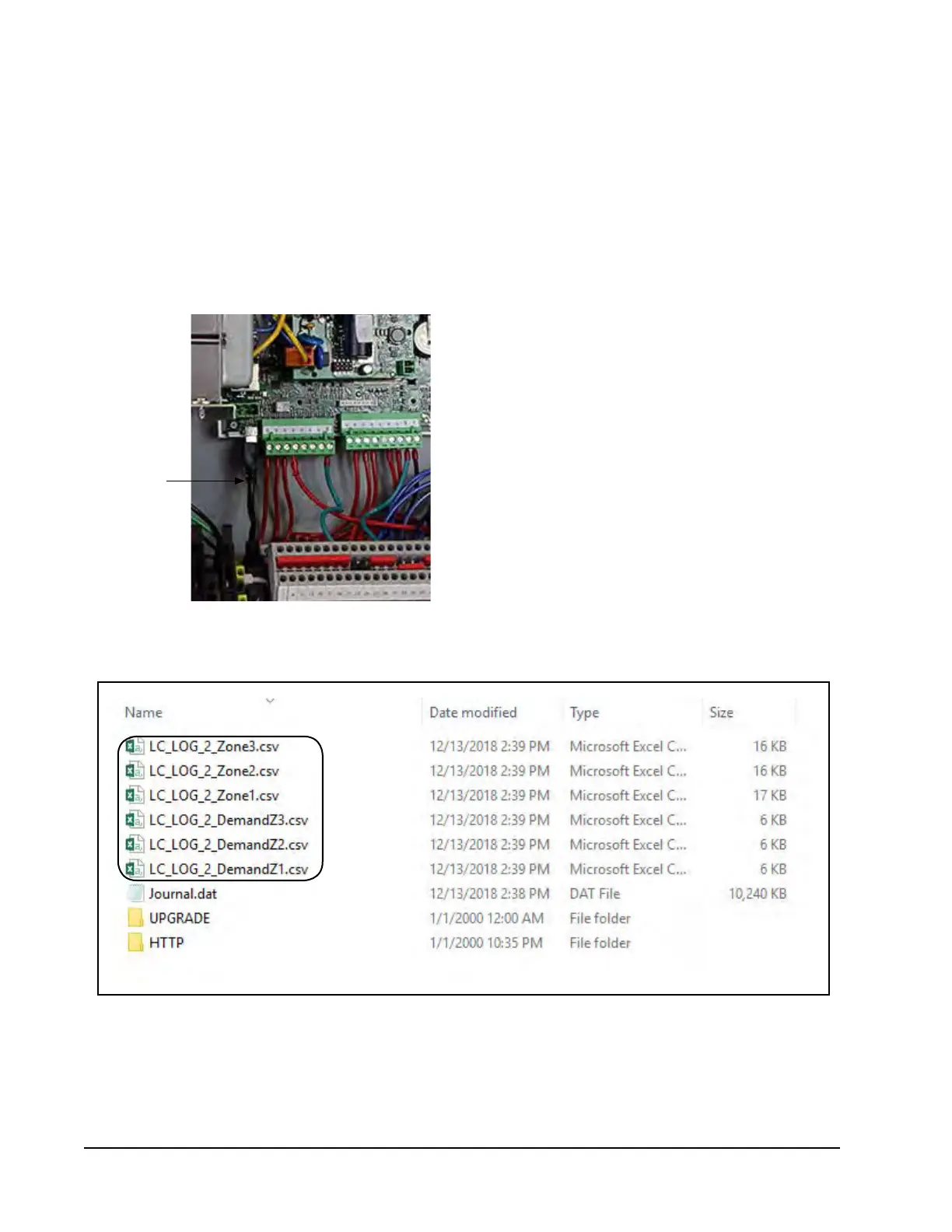
FIGURE 3
USB
Adapter
Cable
Manual 7960-826
Page 2 of 2
NOTE: Do not connect the LC6000 control board to
the laptop using the USB cable before exporting
as this will cause a Cannot access file message
to appear and the log will not be saved. If
this happens, remove USB connection, press
ESCAPE key and redo Step 8.
11. Connect one end of USB cable to the short USB
adapter cable on LC6000-200 control board (see
Figure 3). Connect other end of USB cable to
laptop.
FIGURE 4
12. Once the connection has been made between
control board and laptop, the laptop screen should
display as shown in Figure 4. The LC6000 will
export the I/O logs as Excel files.
This completes the software update process.


 To Next Page