3
OUTLINE
TO REPLACE BATTERIES
• Open battery case cover at the back of dy-
namometer;
• Take out used batteries;
• Install new batteries by putting one side of
the battey beneath battery baffle and
pressing down the other side. Please take
note to polarity.
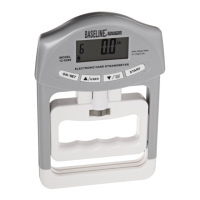
LCD ICONS DESCRIPTION
HANDLE ADJUSTING
INDICATION
UP / DOWN
(COMPARED TO LAST RECORD) TEST RESULT
MAX. GRIP VALUE
USER CODE
GENDER
STATUS
WEAK NORMAL STRONG GRIP
FLUCTUATION
UNIT (Kg /Lb)
AGE
HANDLE


 To Next Page