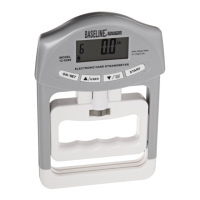
Need help?
Do you have a question about the Baseline 12-0340 and is the answer not in the manual?
Details how to properly mount the dynamometer to a fixture or test stand using provided holes.
Describes the elements and indicators displayed on the dynamometer's home screen.
Details the required physical setup and mounting for accurate calibration.
Step-by-step instructions for performing the calibration process on the dynamometer.
Provides general specifications including accuracy, power, weight, and warranty.
Details the measurement ranges, resolution, and deflection for each model.
 General
| Type | Digital Multimeter |
|---|---|
| Mounting | Handheld |
| Power Supply | 9V battery |
| Operating Temperature | 0°C to 40°C |
| Display | LCD |
| Features | Continuity test, Diode test, Data hold |
| Measurement Range | DC Current: 200µA-10A |

 To Next Page