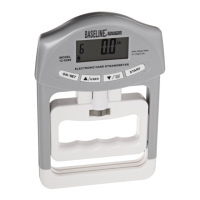
Baseline® Push / Pull Dynamometers User’s Guide
The dynamometer can be calibrated at up to 10 points in each direction. Enter the number of
calibration points for each direction (compression and tension). At least one point must be
selected for each direction.
Note: To achieve the accuracy specification of ±0.5%, it is recommended to calibrate the
dynamometer at 5 or more even increments in both tension and compression directions. For
example, a dynamometer with capacity of 100 lbF should be calibrated at 20, 40, 60, 80, and 100
lb loads in each direction.
3. To escape the Calibration menu at any time, press ESCAPE. The display appears as follows:
Selecting “Cancel” will revert back to the Calibration setup. Selecting “Exit without saving” will
return to the menu without saving changes.
4. After the number of calibration points has been entered, press ENTER. The display appears as
follows:
5. Place the dynamometer horizontally on a level surface free from vibration, then press ZERO. The
dynamometer will calculate internal offsets, and the display appears as follows:
CALIBRATION
NOT COMPLETE
Cancel
Exit without saving
CALIBRATION
Enter # cal points
(1 to 10)
Compression:
5
Tension:
5
CALIBRATION
OFFSET
Please wait…
CALIBRATION
OFFSET
Place dynamometer
horizontally, then
press ZERO


 To Next Page