Operation instructions
Installation of phone
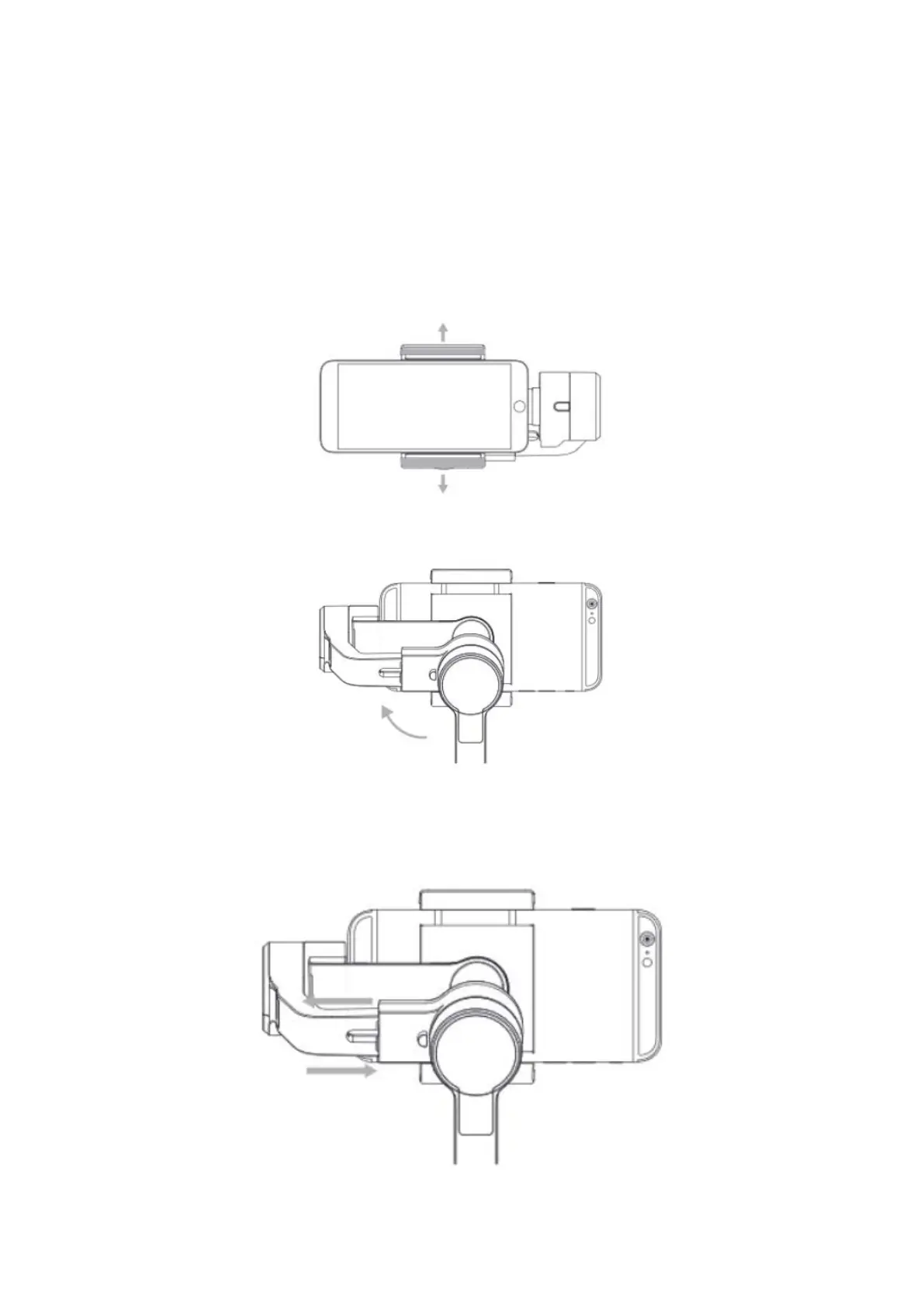
Please install a phone and adjust the balance when the gimbal powers off.
a) Push and hold open the phone clamp, slide the phone in as close as possible against
the tilt axis motor, and clamp on. (See the figure below)
b) Rotate the tilt axis to the right.
c) Adjust the phone balance by sliding the horizontal arm of the roll axis. (If the phone is
tilted to the right, shorten the arm. If the phone is tilted to the left, lengthen the arm. If it
is still tilted to the left, attach the counterweight to adjust the balance).



 To Next Page