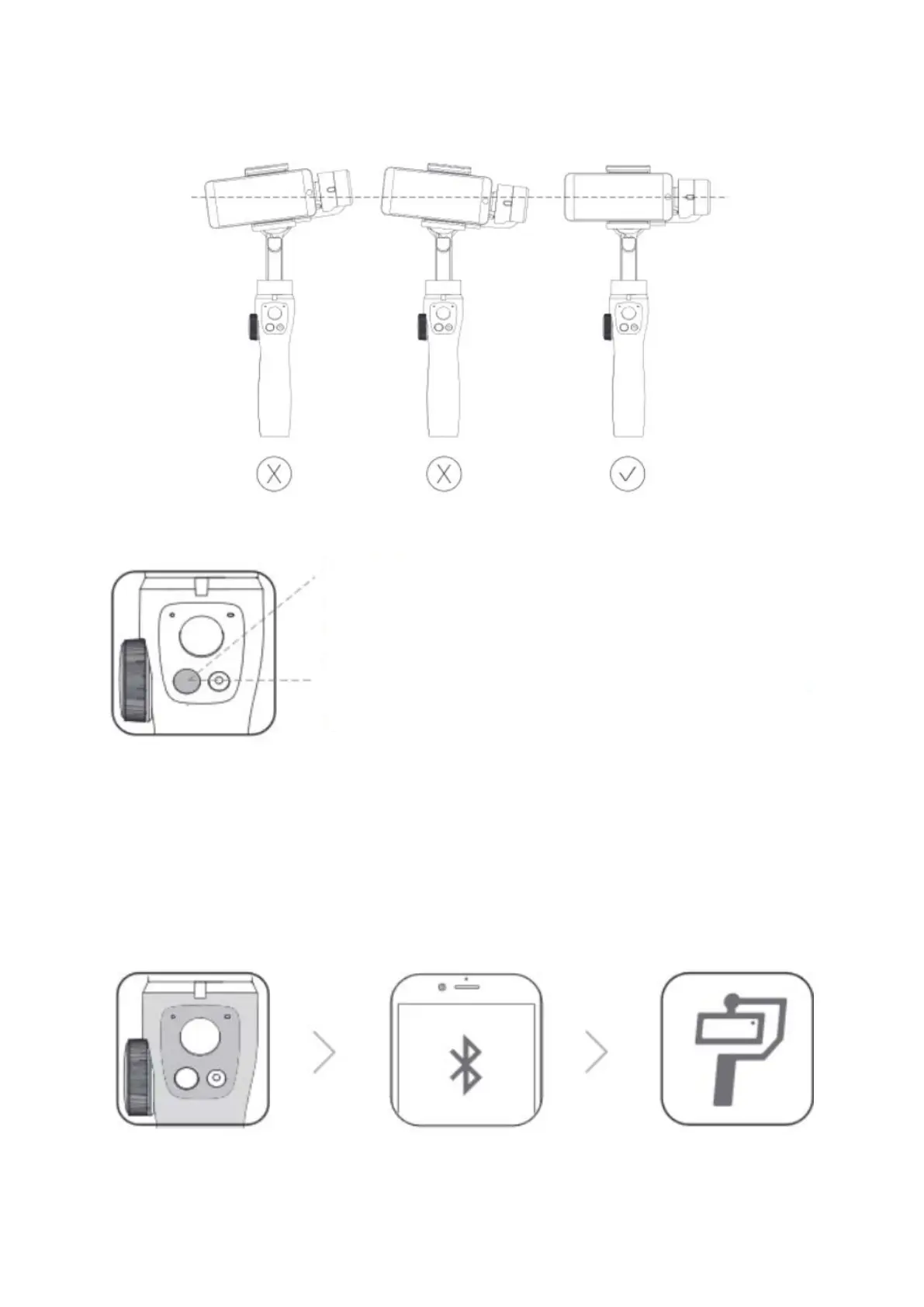
Figure of installation of the Phone
Power on/off
Notes: If the gimbal automatically detects that the phone is not well-balanced after
powering on, it will enter the automatic calibration state. Click “Calibrate” and wait for 15
seconds. The gimbal will automatically calibrate and enter sleep mode during this
period. Restart it after 15 seconds.
Connect App
Power on the gimbal – turn on the phone Wireless – open the BaseusControl App –
search the gimbal Wireless and connect the gimbal.
Power on:
Long press the power button for 3 seconds to power on the
gimbal after balancing the phone.
Long press the power button for 3 seconds to power off the
gimbal.


 To Next Page