Operations
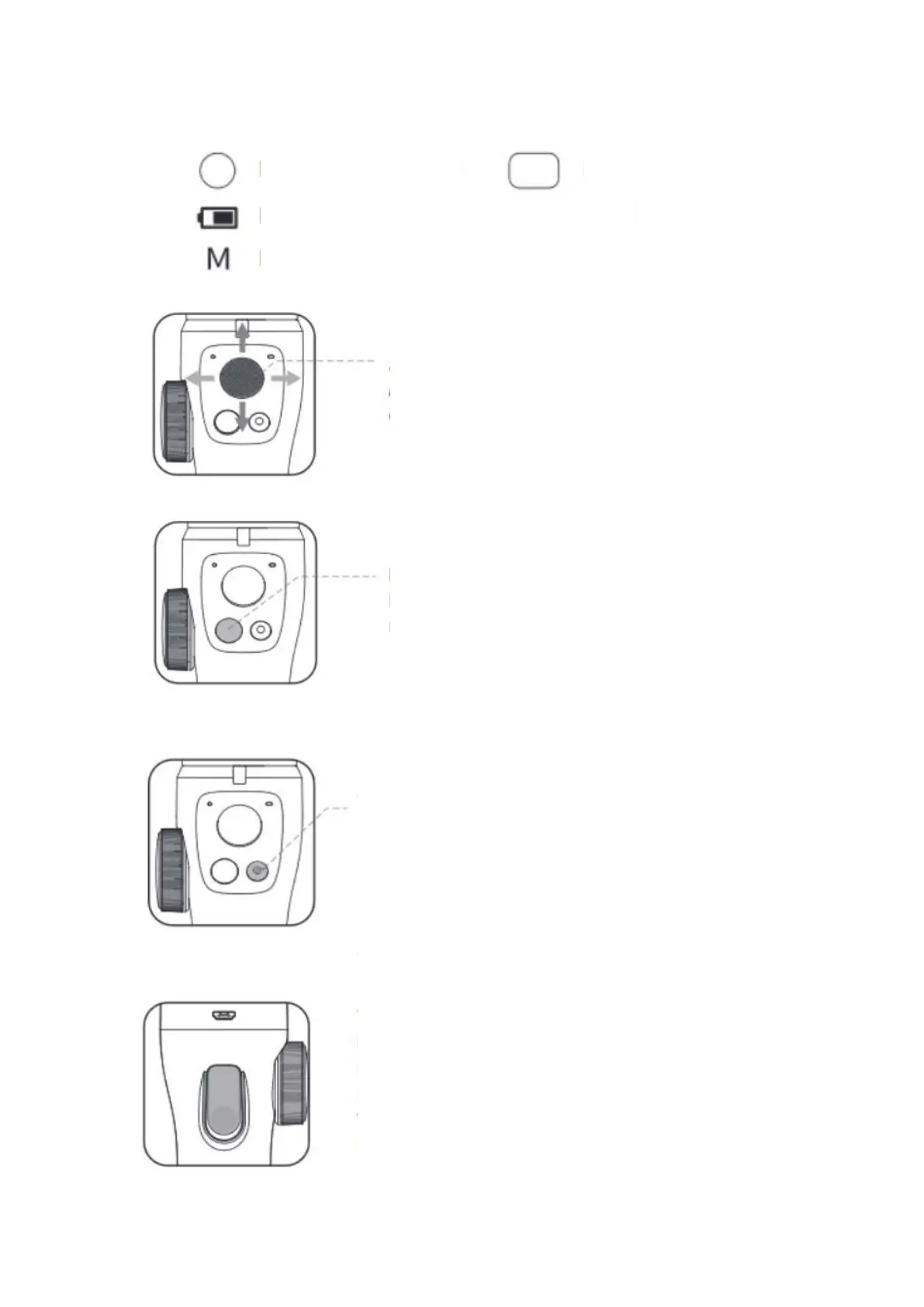
Indicates the current battery of the gimbal
Indicates the current mode of the gimbal
Adjust the phone lens on the tilting angle in left
-right
Power/Mode button:
Long press the button for 3 seconds to switch modes
(refer to the operation manual of gimbal modes)
Phone/Video button:
Photo mode: press once to
take
a picture, long press for 2
seconds to switch to video mode
Video mode: Press once to start recording. During
recording, single press to pause recording, press again to
resume recording, long press for 2 seconds to stop
recording.
ong press for 2 seconds to stop recording.
Long press for 2 seconds to switch to photo mode in
video mode while not recording.
Trigger button:
Press and hold to quickly switch to lock mode, release to
return to original mode.
Double press quickly to switch to the
initial state.
You can personalize the Trigger/shutter button as
PhoneGo in APP.


 To Next Page