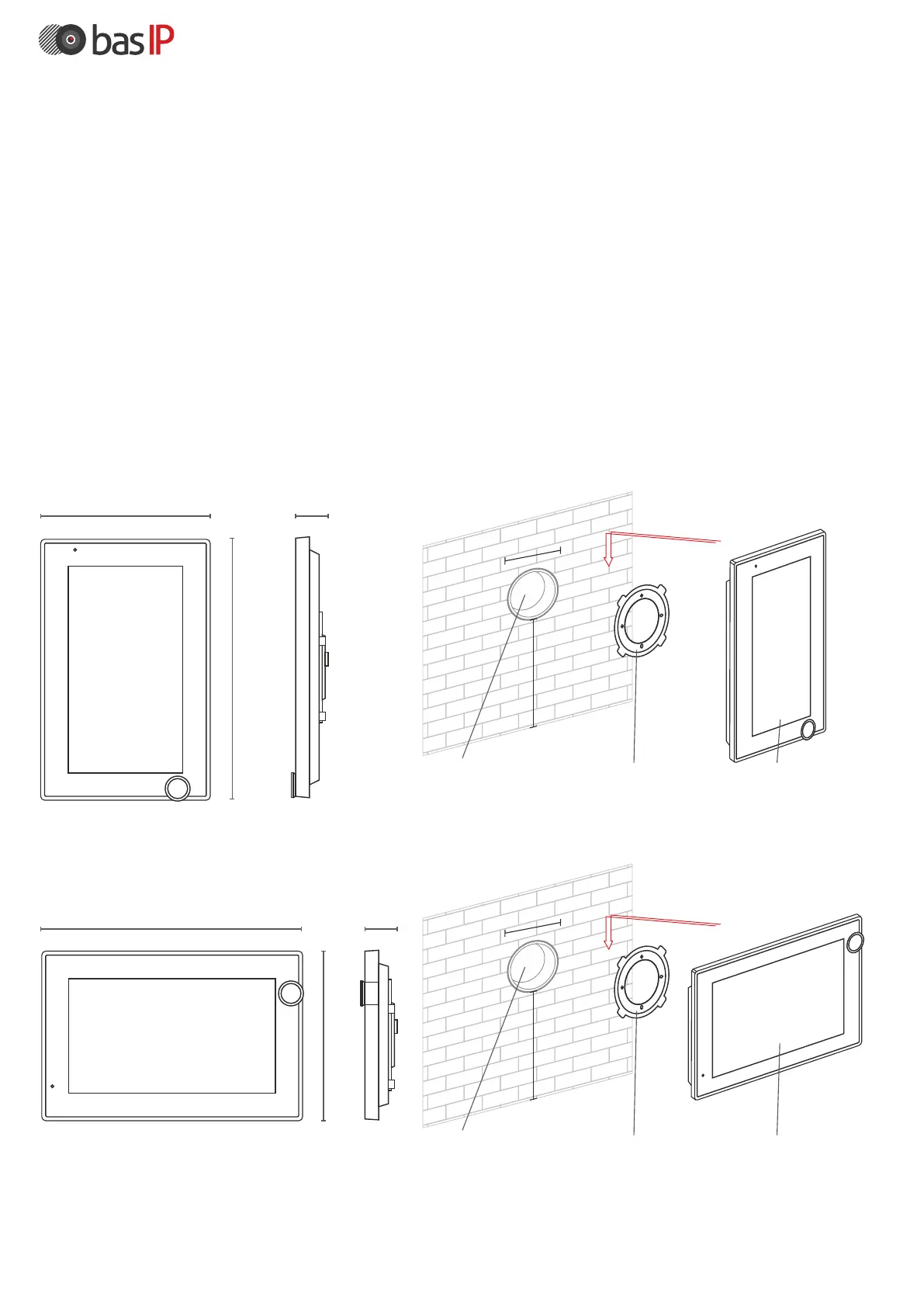
Appearance and mechanical mounting
Before installation of a monitor, it is necessary to drill a hole or a recess into
a wall with a 68 mm (2.68in) diameter under the standard mounting box for
a 65x45 mm (2.56x2.13in) socket. It is necessary for switching of wires and
installation of the monitor.
Attach the bracket in the outlet box using set screws and a phillips head
screwdriver.
Installation of the monitor on the bracket is done from top to bottom.
127 mm
195 mm
27 mm
Surface bracket MonitorNiche
195 mm
127 mm
27 mm
150-160 cm
60 mm
Surface bracket MonitorNiche
150-160 cm
60
mm
Vertical mounting
Horizontal mounting



 To Next Page