4 9424200772 Rev D
Quick Start Guide BE1-11
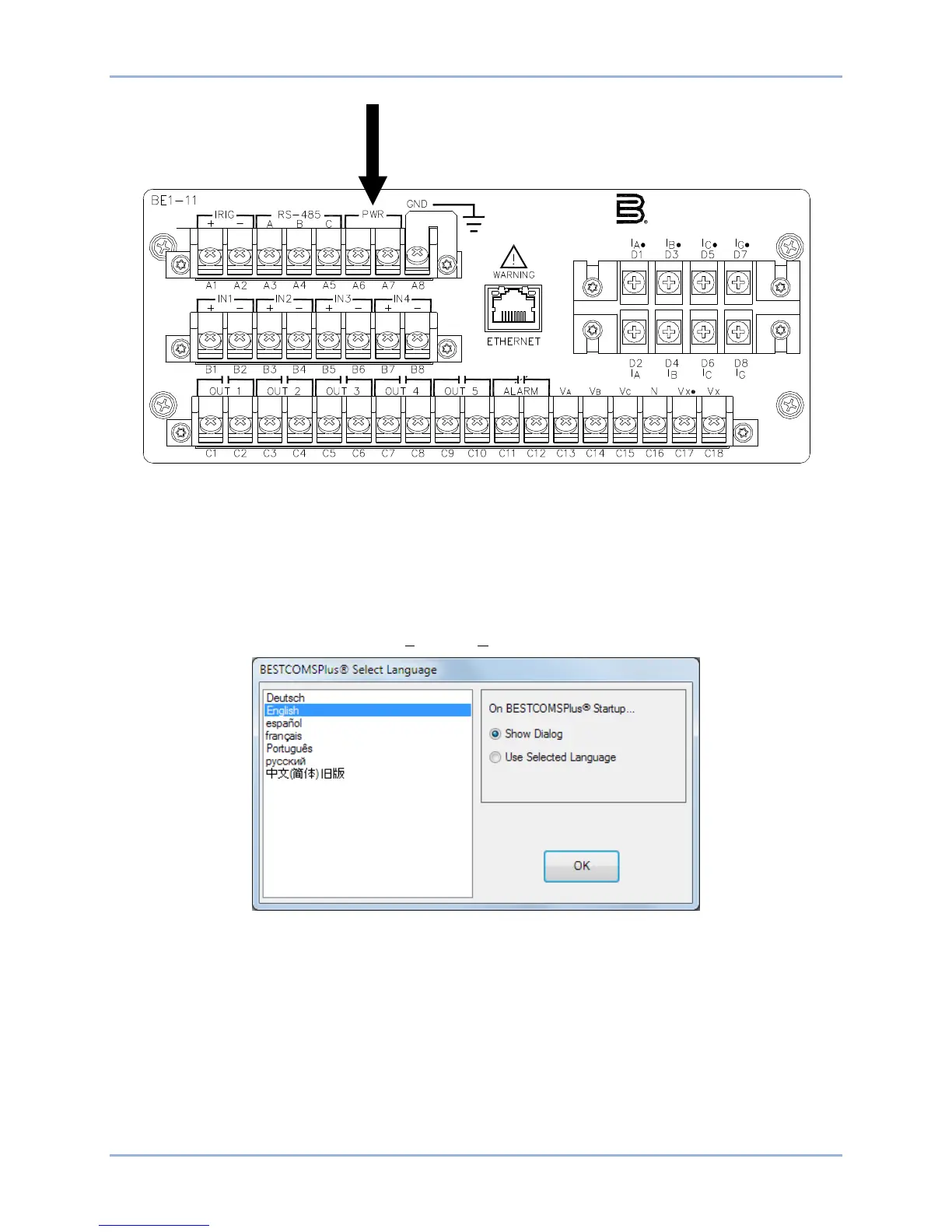
Figure 3. PWR Rear Terminals (H or P Type Case) (BE1-11f, BE1-11i, and BE1-11g only)
Start BESTCOMSPlus® and Activate BE1-11 Plugin
To start BESTCOMSPlus, click the Start button, point to Programs, Basler Electric, and then click the
BESTCOMSPlus icon. During initial startup, the BESTCOMSPlus Select Language screen is displayed
(Figure 4). You can choose to have this screen displayed each time BESTCOMSPlus is started, or you
can select a preferred language and this screen will be bypassed in the future. Click OK to continue. This
screen can be accessed later by selecting Tools and Select Language from the menu bar.
Figure 4. BESTCOMSPlus Select Language Screen
The BESTCOMSPlus splash screen is shown for a brief time. See Figure 5.
P0069-28
Basler Electric
Highland, Illinois USA (618) 654-2341



 To Next Page