9469300994 9-1
DGC-2020HD Troubleshooting
9 • Troubleshooting
If you do not get the results that you expect from the DGC-2020HD, first check the programmable settings
for the appropriate function. Use the following troubleshooting procedures when difficulties are
encountered in the operation of your genset control system.
Communications
Ethernet Communication Does Not Work Properly
Step 1. Verify that the proper port of your computer is being used. For more information, refer to the
Communication chapter in the Configuration manual.
Step 2. Verify the network configuration of the DGC-2020HD is set up properly. For more information,
refer to the Communication chapter in the Configuration manual.
Step 3. Verify that all Ethernet devices comply with IEC 61000-4 series of specifications for Industrial
Ethernet Devices. Commercial devices are not recommended and may result in erratic network
communications.
USB Communication Does Not Work Properly
Step 1. Verify that the proper port of your computer is being used. For more information, refer to the
Communication chapter in the Configuration manual.
USB Driver Did Not Install Properly on Windows
®
7, 8, or 10
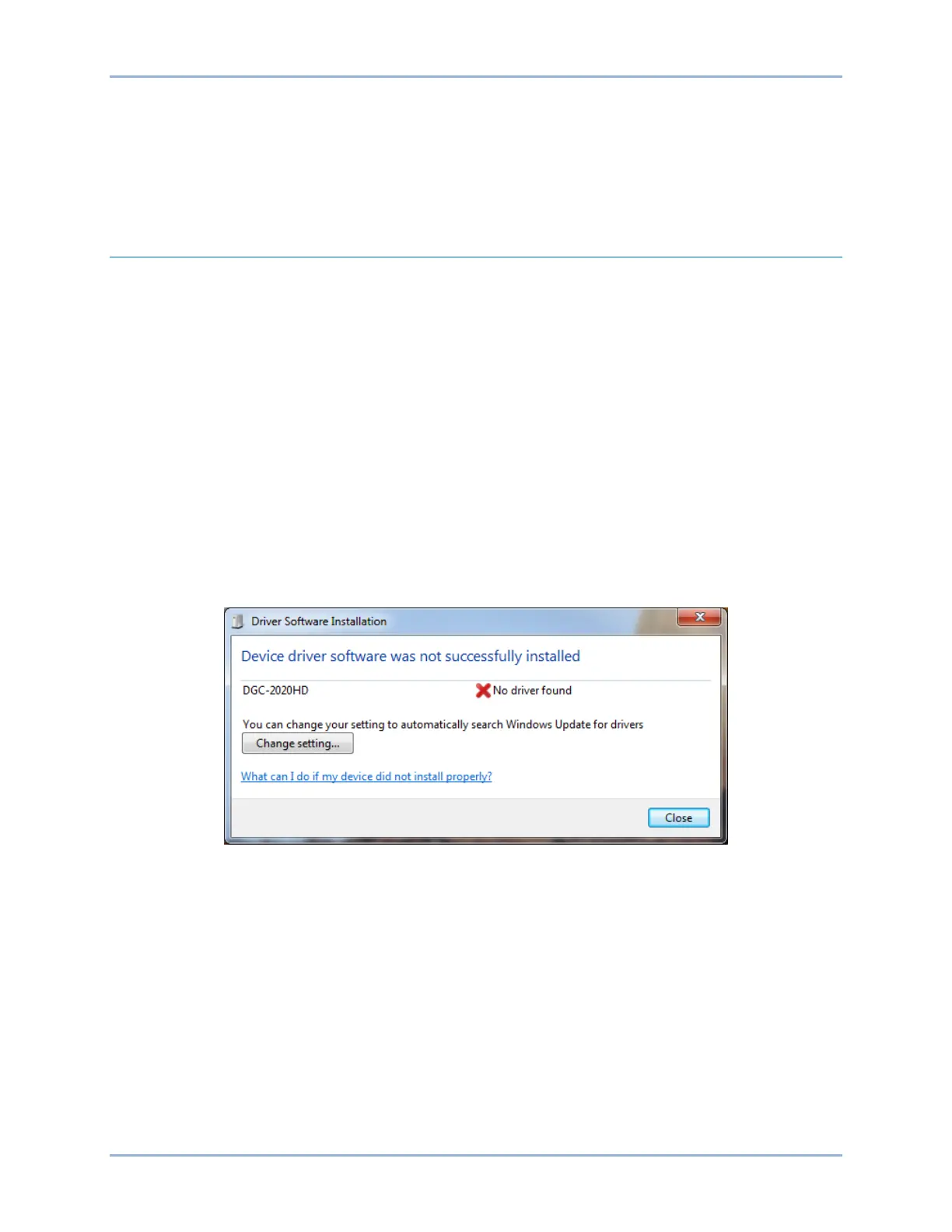
Step 1. If the message in Figure 9-1 is shown, close all programs and restart the computer.
Figure 9-1. Driver Software Installation
Step 2. Open the Windows
®
Device Manger as shown in Figure 9-2. Right-click on DGC-2020HD (or
Unknown Device) under Other Devices and select Properties.



 To Next Page