12
Remote Control Instructions (X3R Only)
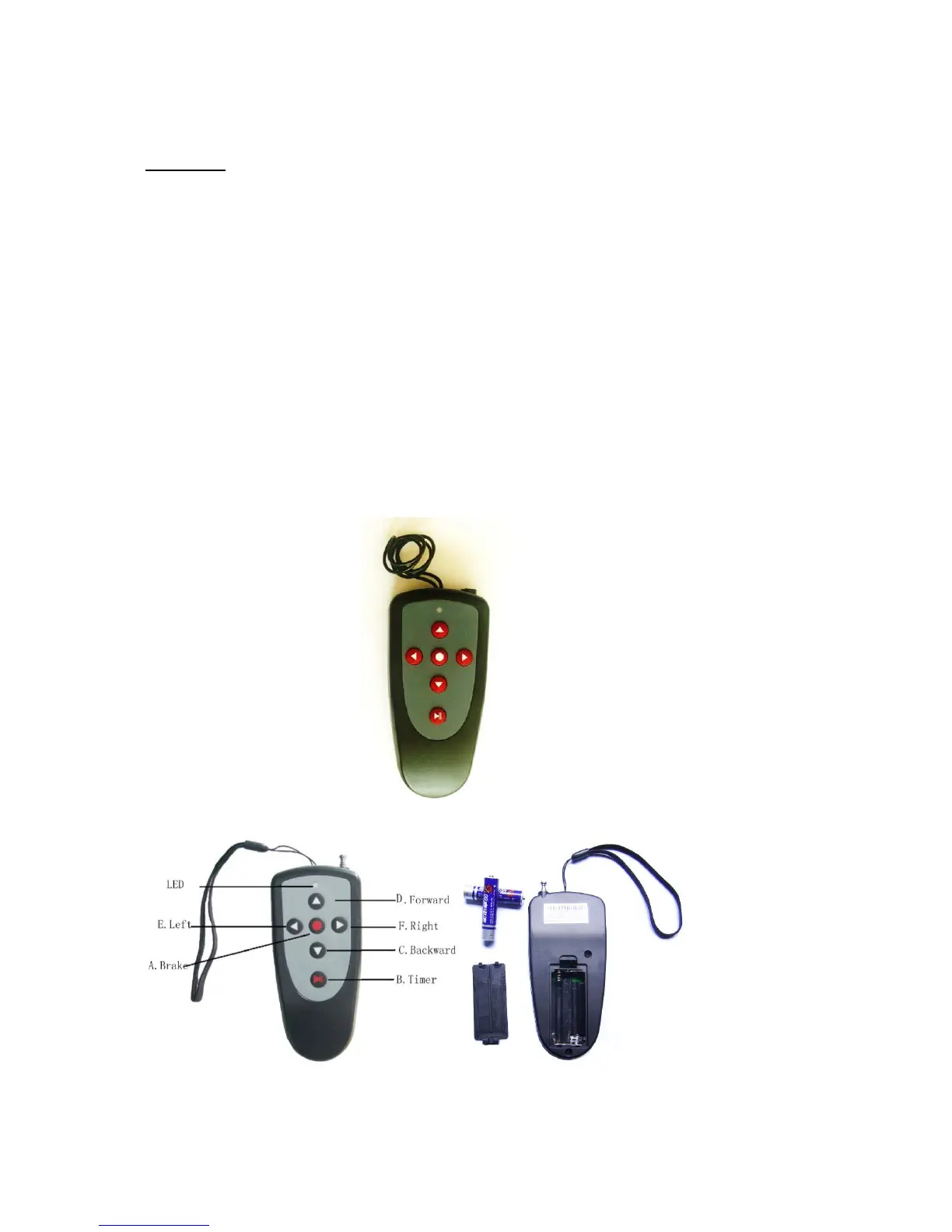
Functions:
A. Brake: The red button in the middle of the directional arrows should be used for
braking the caddy.
B. Timer: 10, 20, 30 yards, Stop (same as manual control timer function)
C. Backward Arrow: Pressing the back arrow will set the caddy in backward motion.
Increase backward speed by pushing multiple times. Press also to decrease forward
speed/slow down the caddy
D. Forward Arrow: Pushing the forward arrow will set the caddy in forward motion.
Pushing multiple times will increase the speed.
E. Left Arrow: initiates left turns. When the arrows are released the caddy stops
turning and continues straight with the original speed prior to turning.
F. Right Arrow: same as left arrow function.
G. Strap: on the latest version the holding strap also serves as the antenna. DO NOT
pull out or cut. Otherwise the remote function will be impacted!


 To Next Page