55
ENGLISH
2 Square display
2.1 Removing and fixing
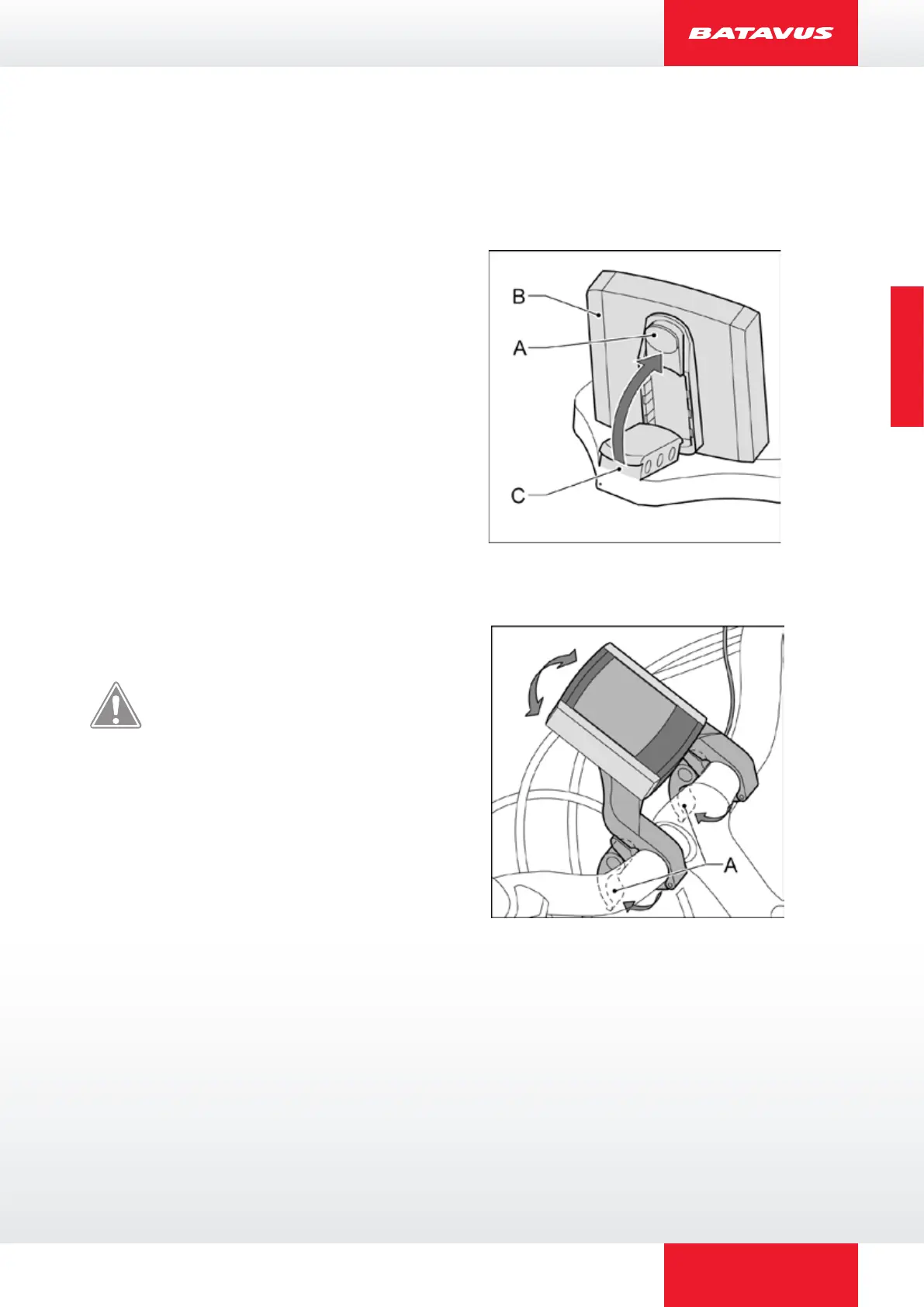
Removing: Press the button (A) on the
bottom side and remove the display (B)
from the display holder (C).
Fixing in place: Position the display (B)
obliquely on the display holder (C) and
click it in place in the lock.
2.2 Adjust
Loosen the handles (A) and twist the
display holder.
Remove the display when
storing and transporting the
bicycle.



 To Next Page