67
ENGLISH
3 Compact display
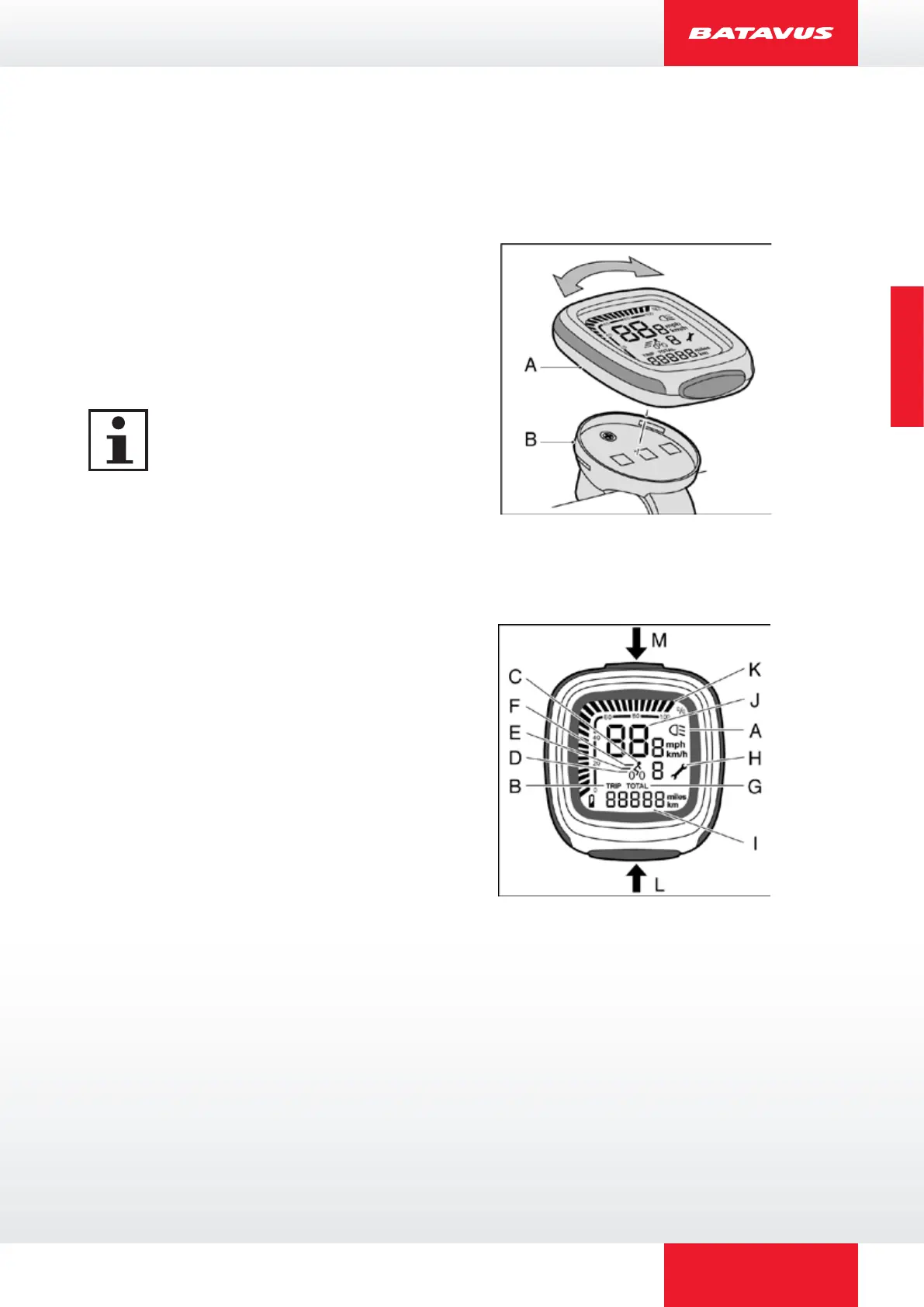
3.1 Mount and dismount
1. Place the display (A) on to the
holder (B). Turn the display a
quarter turn clockwise to lock the
control display into place.
2. Turn the display a quarter turn
anticlockwise to release it.
Remove the display when storing
and transporting the bicycle.
3.2 Buttons and indications
Every selected function is indicated by a bar.
A Lighting
B Trip recorder
C Peddling assistance OFF
D Peddling assistance ECO
E Peddling assistance NORMAL
F Peddling assistance POWER
G Total covered distance
H Maintenance indicator
I Variable indicator
J Speed
K Battery pack charge level
L Set button
M Light button



 To Next Page