Selecting a cooking function and temperature
Selecting manual operation mode
After your appliance is connected to your mains supply for the
first time, the numbers on the timer display will flash. Before
you can select a cooking function or set a temperature, you
must set the appliance into “manual operation” mode.
o To select manual operation mode, press the “manual operation”
button (9) on the control panel.
Selecting an oven function
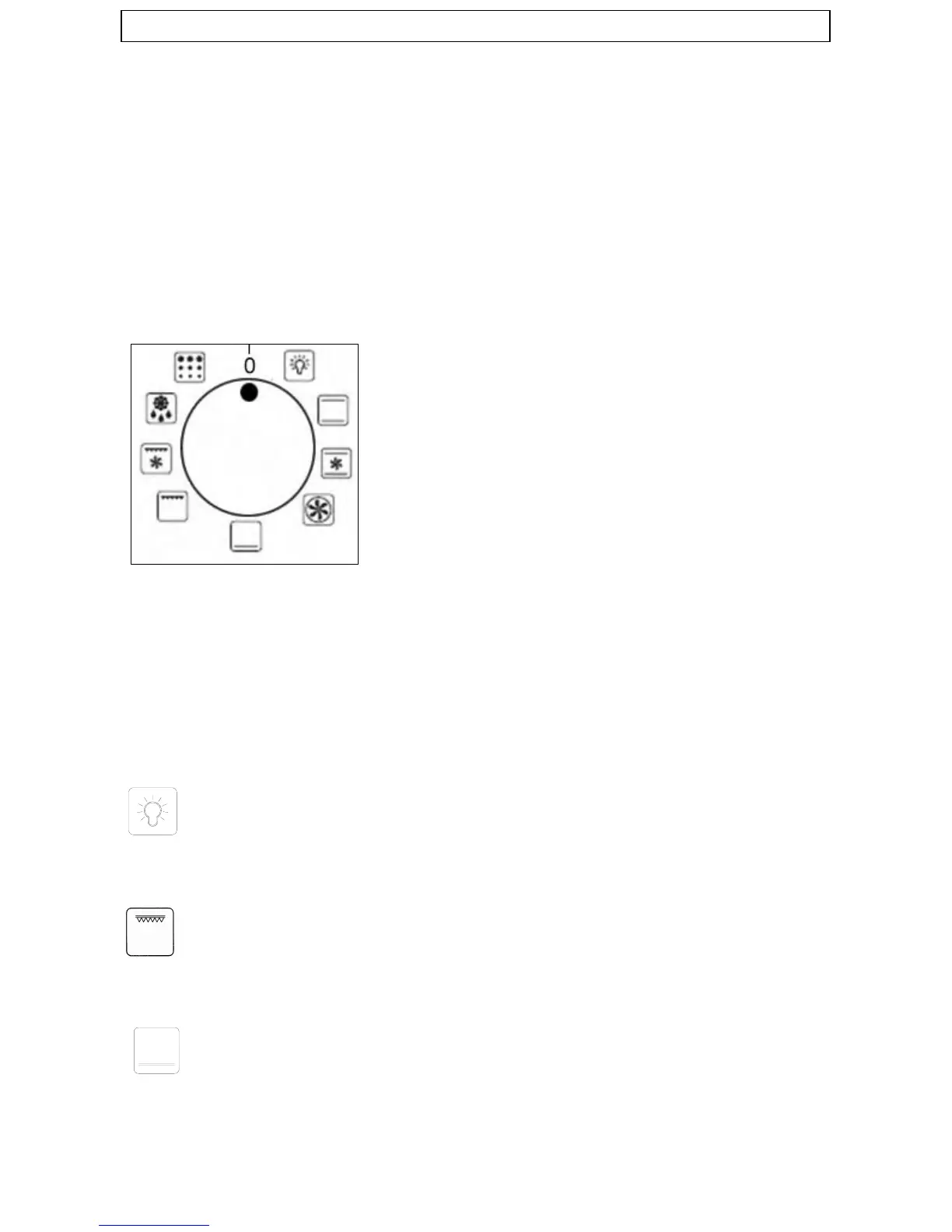
The oven function selector knob should be used to select the particular
mode of cooking that you require. The appliance will utilise different
elements within the oven cavity, depending on the oven function that
you select. When a function is selected, the power indicator light will
come on.
9 oven functions
Light
T
he separate Light function will illuminate the oven cavity. This function is
also useful when cleaning the oven interior also will give a low heat
suitable for proving dough.
Full grill
This cooking method is normal static grilling utilising the top elements,
which directs heat downwards onto the food. Suitable for gilling medium to
large portions of sausages, bacon, steaks and fish.
Lower element only
This method of cooking uses the lower element to direct heat upward to
the
food. Fro slow
-cooking recipes or for warming up meals.
16


 To Next Page