o The shelf should be used as a support surface; it should normally
be placed in positions 2 or 3.
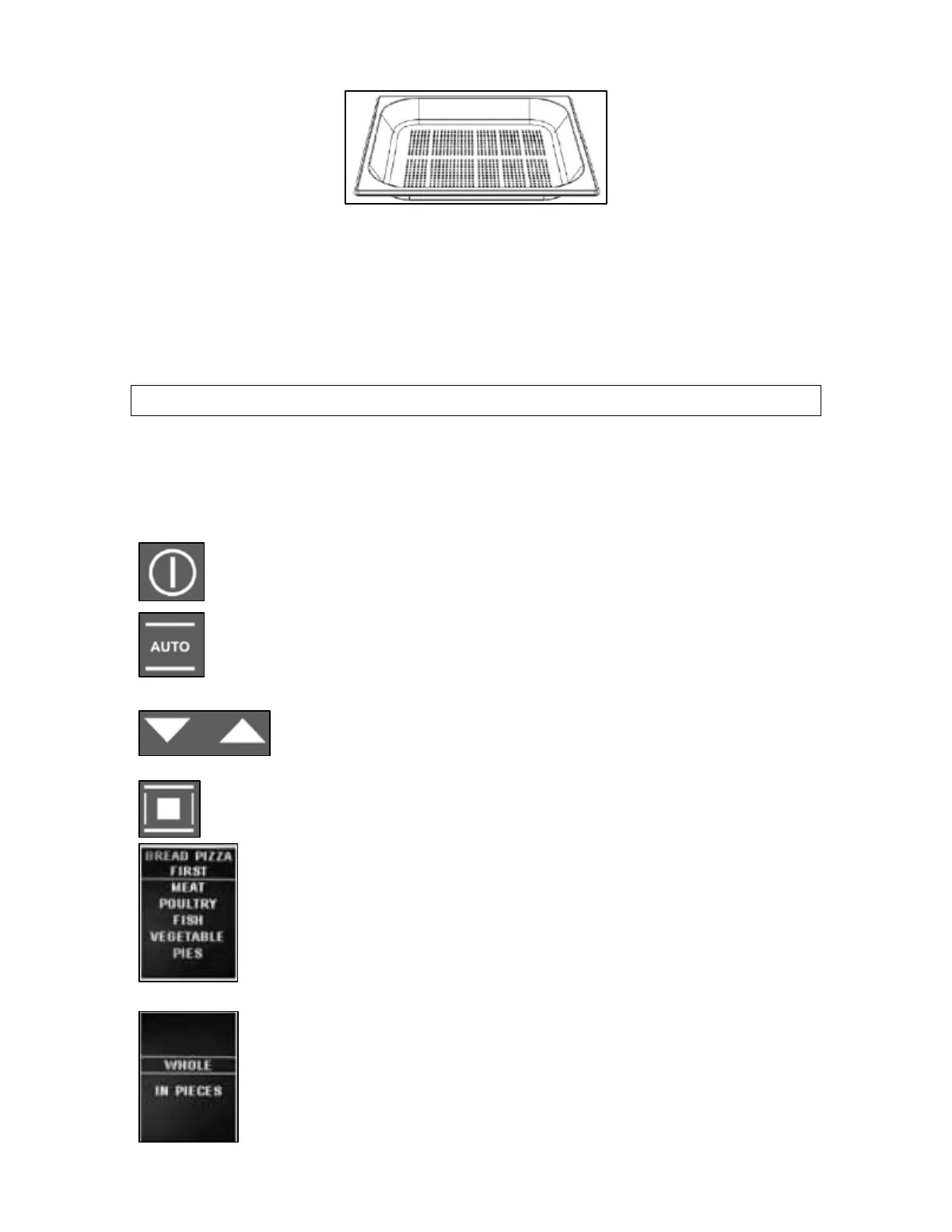
o The perforated drip pan is mainly used for steam cooking fresh
or frozen vegetables, fish etc.
o Position the perforated drip pan on level 2 or 3. You must insert
the drip pan below the perforated drip pan, to collect any liquid
that is released from the food during the cooking process.
Auto-recipes
Selecting a preset or saved personal recipe
o You are able to access and select from 60 preset recipes and up
to 100 personal saved recipes for quick and efficient cooking.
o Turn the oven on by pressing the power button.
o Press the auto-recipes button to enter the recipe mode.
The display will show 2 options of personal recipes or
preset recipes.
o You can use the increase and decrease buttons to
scroll between the 2 choices.
o When the preset recipes are highlighted press the
confirm button to select it.
o The display will then show the menu shown in the
picture on the left. You can use the increase and
decrease buttons again to scroll through the options.
o When the required food category is highlighted,
press the confirm button to select it.
o The display will then show a list of specific foods
from that category. For the meat or chicken category
the display will also ask you to select whether the
food is whole or in pieces.
26


 To Next Page