13
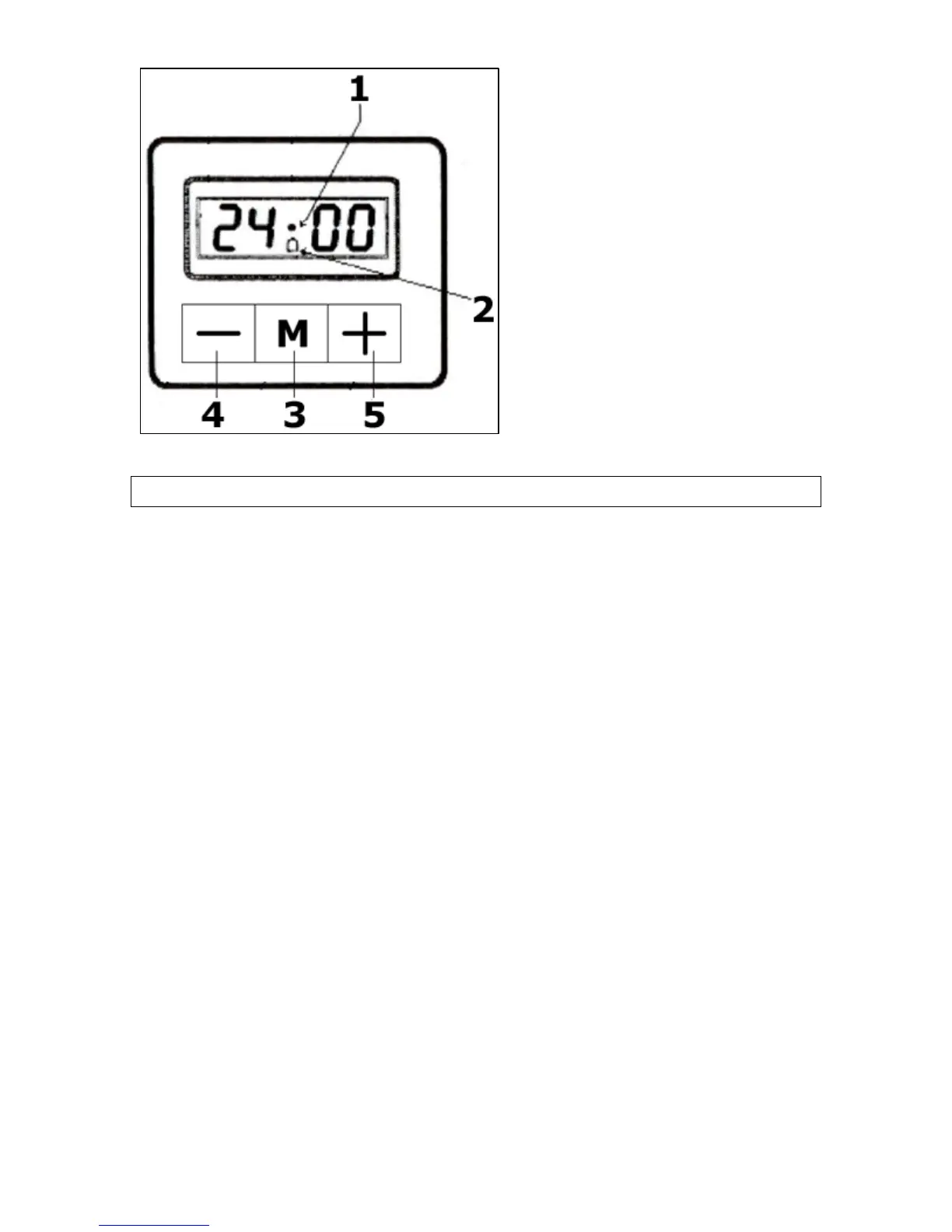
Oven programmer/timer
1 = Decimal point symbol
2 = Minute minder symbol
3 = Programme button
4 = Minus button
5 = Plus button
Initial set-up of your oven
Setting the time of day
After your appliance is connected to your mains supply for the first
time, you must set the time of day before you can use the oven.
o When the oven is connected to your mains supply for the first
time (or after a power cut), the digits on the LED display will
flash.
o Press and hold down the programme button (3) for a couple of
seconds and the digits will remain steady.
o Whilst the decimal point symbol (1) is flashing, use the plus (5)
and minus (4) buttons to set the correct time of day.
o When the correct time of day is shown on the LED display,
release the plus and minus buttons and wait a few seconds. The
decimal point symbol will stop flashing and the oven is ready to
use.


 To Next Page