15
Before you start using your Microwave, you may want to set the
time on the Clock and Preset times for cooking. Your
Microwave operates on a 24-hour clock setting (0:00-23:59).
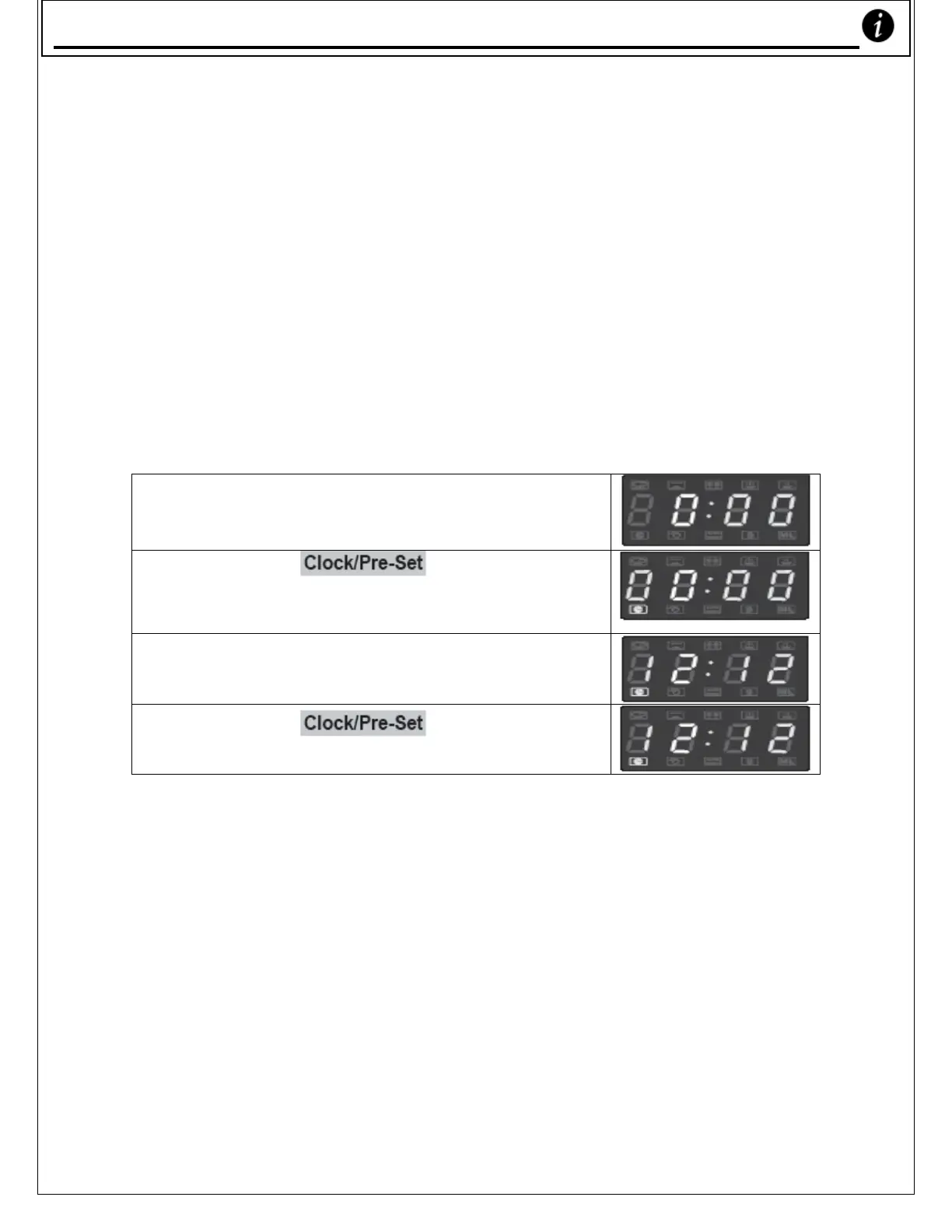
Clock setting – For example, to set time as ‘12:12’
1) When you initially plug your Microwave
Oven in, you’ll see the LED showing
‘0:00’.
2) Press the ‘ ’ key, the hour
figures flash; the clock light will come on
3) Press the number keys ‘1’, ‘2’, ‘1’, ‘2’ in
that order.
4) Press the ‘ ’ key to finish
setting the clock.
* Note
– If you press ‘Stop’ or if you do not press any keys for a minute or
longer before you set the clock, your Microwave’s display will go back to
‘0:00’ automatically.
Settin
our Microwave’s Clock










 To Next Page