12
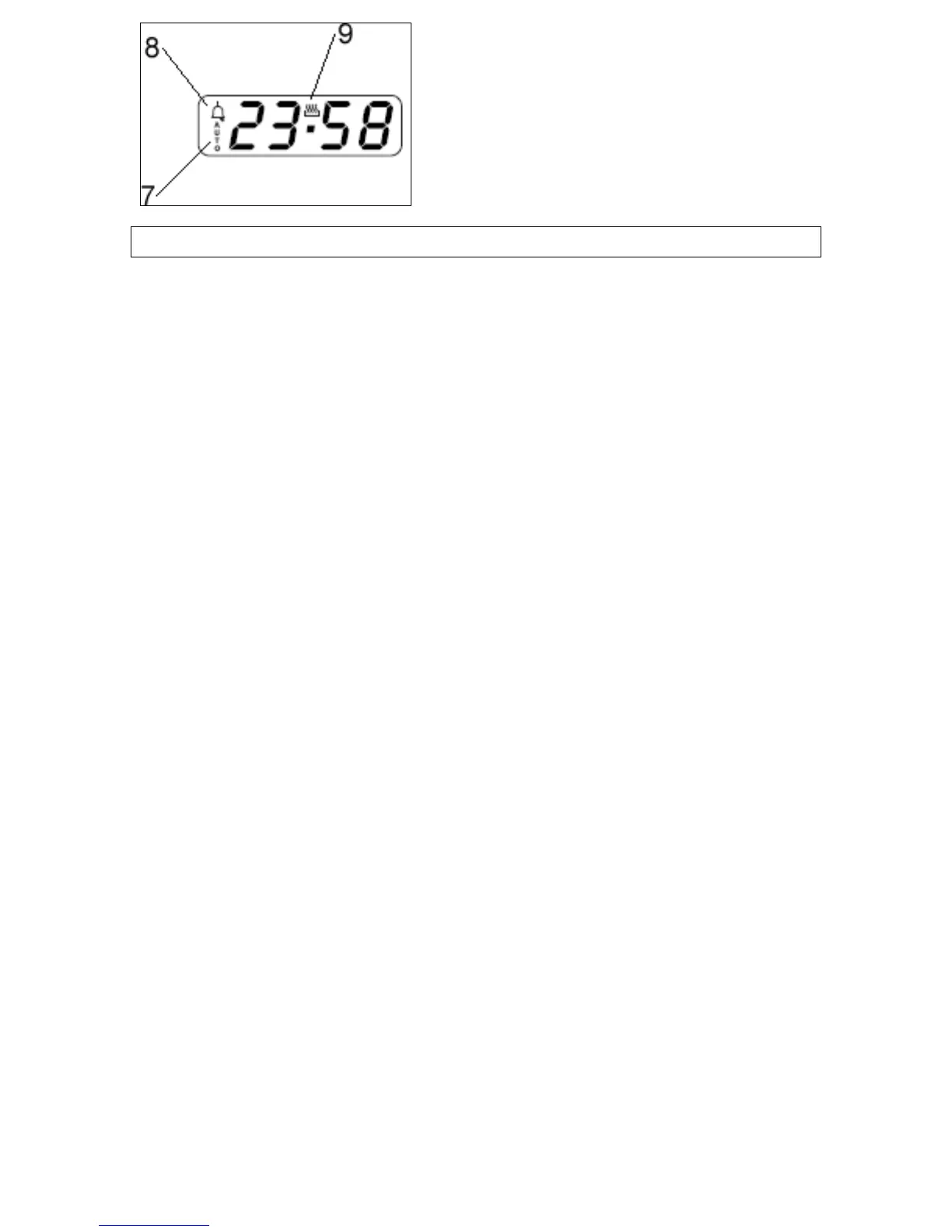
Oven programmer/timer display
7) “Auto” function symbol
“Minute minder” symbol
9) “Manual operation” symbol.
etting and using the oven programmer/timer
“Manual operation” symbol.
etting and using the oven programmer/timer
8)
SS
Selecting manual operation mode
you
ust set the appliance into “manual operation” mode.
, press the “manual operation”
button (4) on the control panel.
etting the time of day
en for manual operation, you should also
t the time of day.
w
e will fix in the display and you will be able to
use your oven.
After your appliance is connected to your mains supply for the
first time, the numbers on the timer display will flash. Before
you can select a cooking function or set a temperature,
m
o To select manual operation mode
S
After setting your ov
se
o Use the “minus” button (5) and “plus” button (6) to adjust the
time that appears in the display. After getting the display to the
correct time, release the “minus” and “plus” buttons. After a fe
seconds the tim



 To Next Page