23
Overtemperature switch off
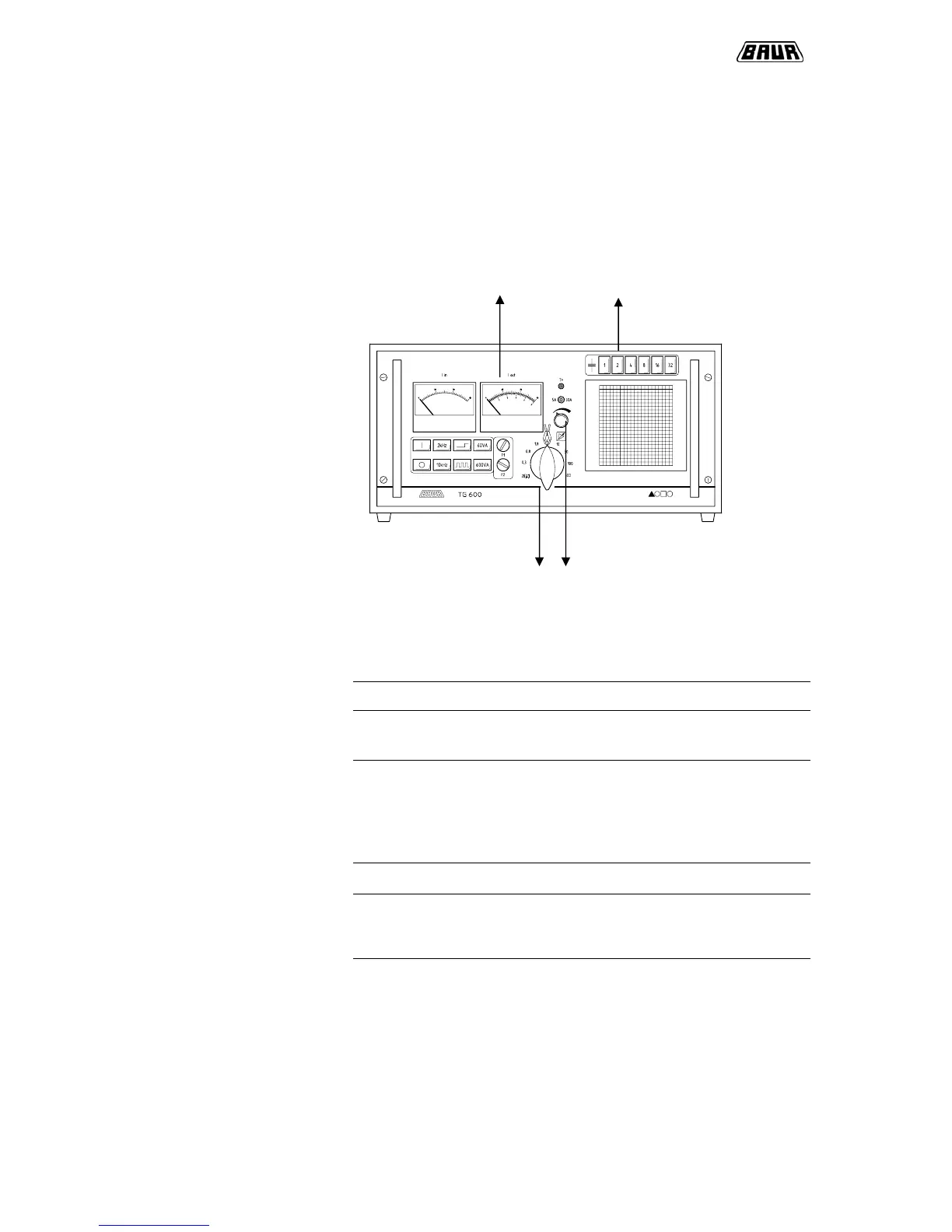
In case of overloading the T600 unit:
- an optical indication is given by the LED „T>“
- the output power is turned down until power output stage is cooled down.
Carry out load adaption
4 2,6
1,5 3
Proceedings
Step Procedure
1 Set load selector switch to Zi = 0.3
2 Switch off all compensation capacitors. Bulbs do
not light up.
3 Adjust input current I
in
using power control
regulator.
At an output frequency 2 kHz: I
in
< 28 A
At an output frequency 10 kHz: I
in
< 21 A
4 Read output current I
out
.
5 Increase value of load selector switch until the
output current I
out
reaches a maximum at a
constant input current Iin (eg, 5A).
6 Carry out reactive power compensation.
Starting with button 1, connect capacitors until
input current I
in
reaches a minimum.



 To Next Page