26
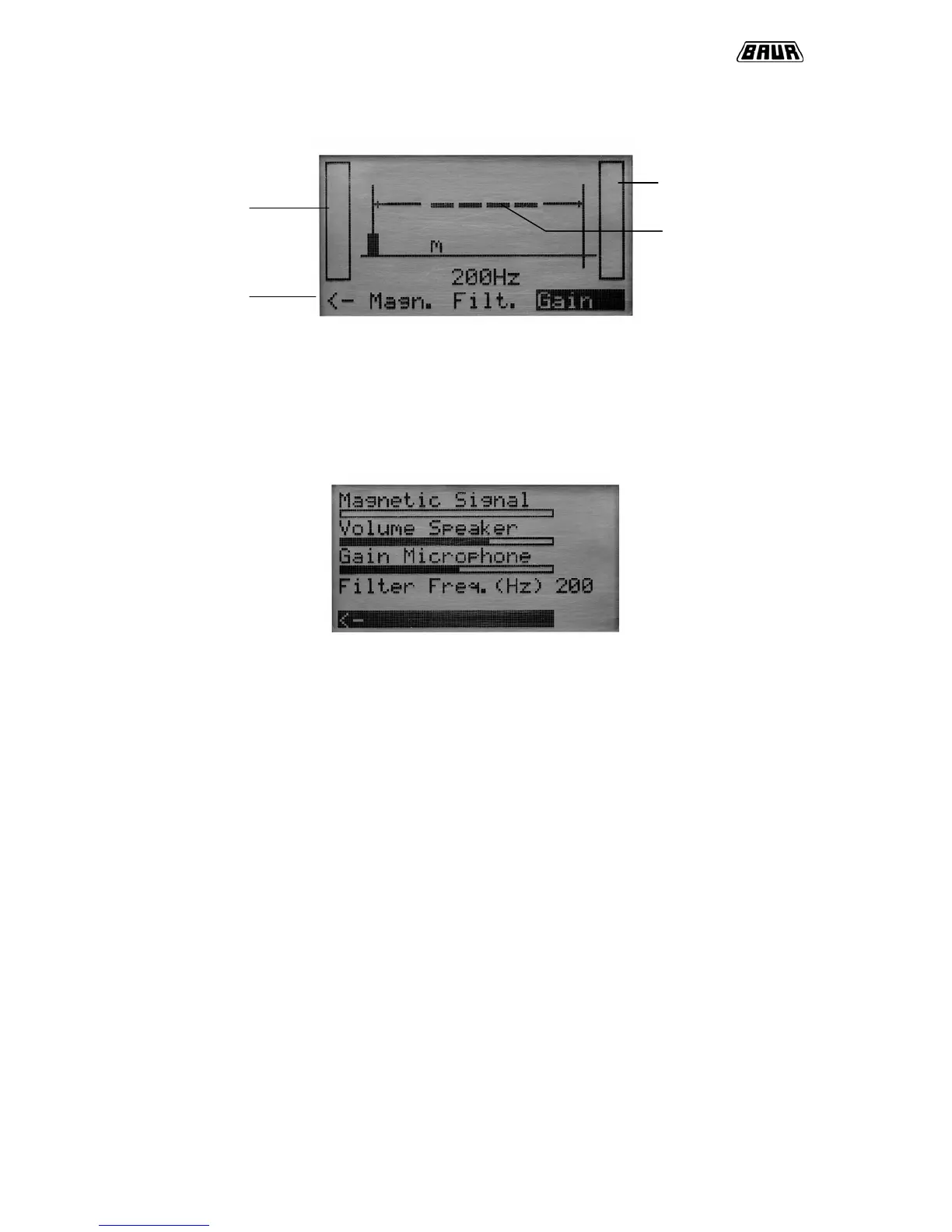
Working plane:
The parameters “magnetic signal [Magn.]”, “Filter to avoid noise [Filt.]” and “sensitivity of
microphone [gain]” can be changed during measurements and can easily be adjusted. The
black framed parameter indicates the status (gain is active in the example) Pressing the up
or down button allows to adjust the levels.
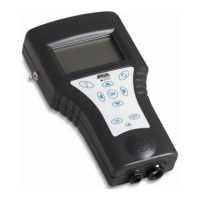
Konfig Plane:
Magnetic signal:
Adjustment of magnetic signal sensitivity with the right/left buttons. The bargraph shows the
present level of sensitivity. In case of magnetic signal receipt a * symbol or number is
displayed.
Volume Speaker:
Adjustment of headphones volume
Gain Microphone:
Adjustment of microphone sensitivity. The bargraph shows the current gain. If
groundmicrophone is lifted up from ground the microphone is switched soundless
automatically. Putting on the device again the signal will be heard after a delay of one
second.
Filter Frequency:
Adjustment of filter frequency in various steps between 100Hz and 1kHz. This allows a
effective rejection of noises and interferences. The adjusted frequency is displayed. Default
setting is OFF.
Level of acoustic
signal
Distance to
fault



 To Next Page