4.3 Control panel description
4 Description of the product
4.3.1
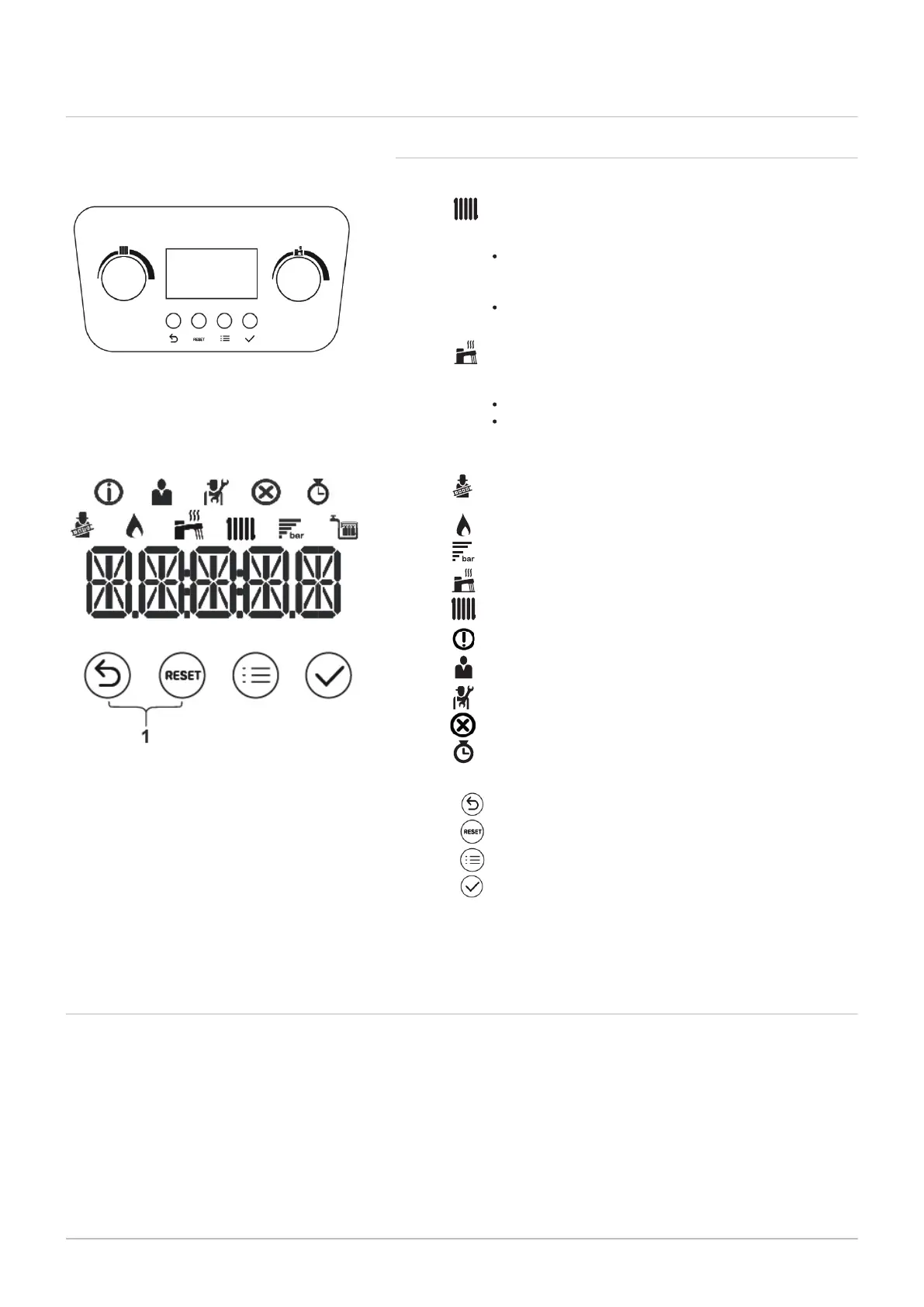
Description of the control panel
Fig.4 Display screen
4.4 Accessories & options
Consult the sales catalogue for all available accessories and options.
Knobs
HEATING: Using this knob you can modify the flow
temperature for the heating installation (heating
setpoint 25-80 °C).
turn the knob anti-clockwise to reduce the temperature
or to the left to scroll through the menus. With an outside
sensor connected it is possible to limit the setpoint value;
turn the knob clockwise to increase the temperature or to
the right to scroll through the menus.
DOMESTIC HOT WATER: Using this knob you can
modify the domestic hot water temperature (DHW setpoint
35-60 °C) or scroll through the menus to the left and right:
turn anti-clockwise to reduce the temperature.
turn clockwise to increase the temperature.
Fig.3 Control panel
1 Chimney sweep mode:
Chimney sweep mode is enabled (forced full load or low
load for
CO
2
measurement).
The burner is on.
Display of the system water pressure.
DHW operation is enabled.
CH operation is enabled.
Information menu: read out various current values.
User menu: user-level parameters can be configured.
Installer menu: installer-level parameter can be configured.
Error menu: errors can be read out.
Counter menu: various counters can be read out.
Icons
Back (previous menu)
Manual reset
Menu
Confirms selection or value.
Buttons
400 Combi 2 13
Press the Back and Manual reset keys simultaneously.





 To Next Page