6 Commissioning
6.1 Control panel description
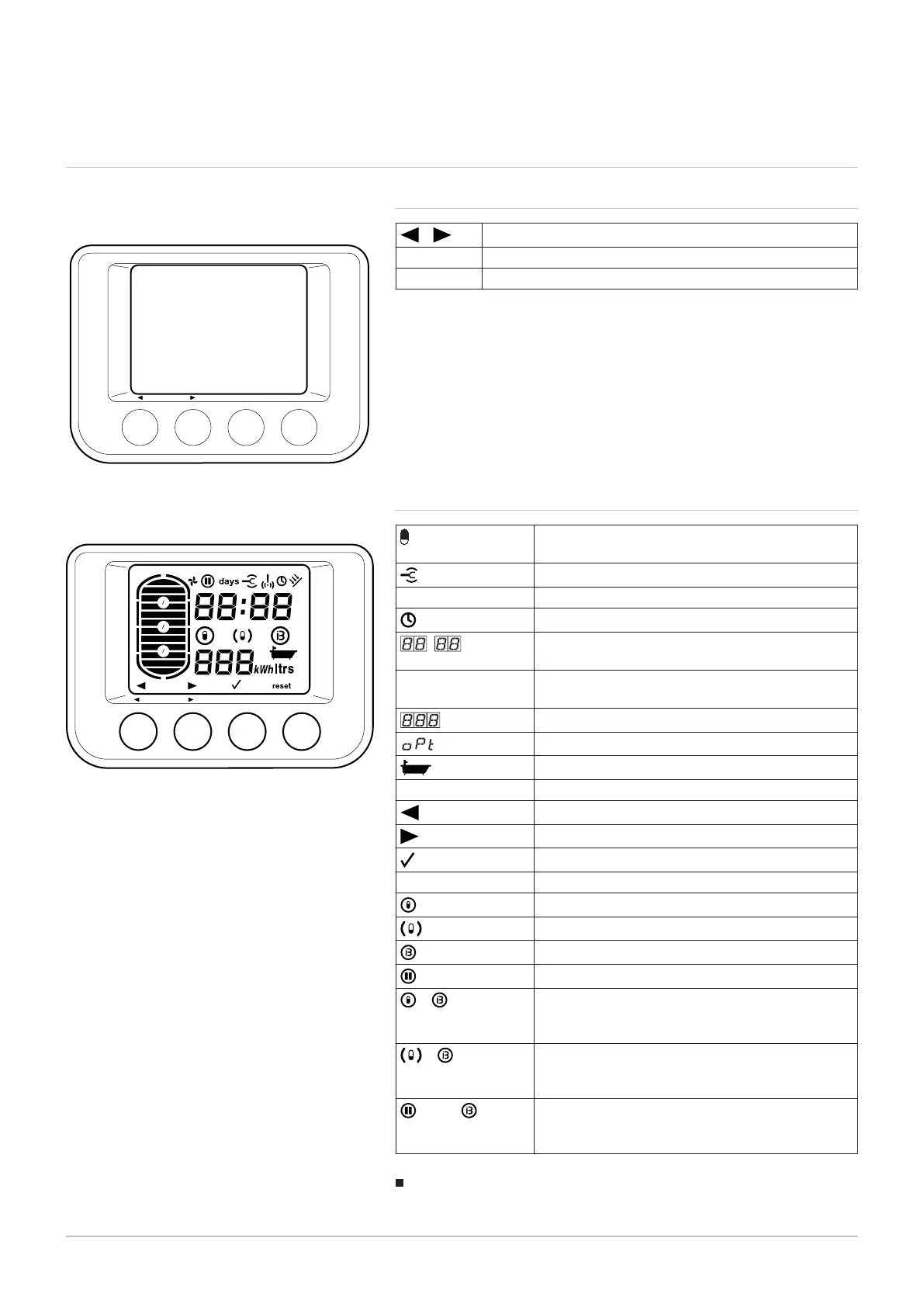
6.1.1 Description of the keys
–
Browse keys
MODE Selection key for the operating modes
MENU Access key for the various menus
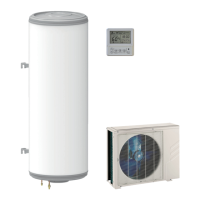
6.1.2 Description of the display
Available quantity of domestic hot water (accord
ing to the set point)
Setting the parameters
! Alarm
Comfort period active or Clock programming
:
Display of the date (day:month) or the time
(hour:minutes)
1 2 3 4 5 6 7 Display of the day of the week (1 = Monday, 2 =
Tuesday, ... 7 = Sunday)
Numeric display
Optimisation function active
Number of baths available (40 °C)
ltrs Quantity of water (litres)
Decreases the setting values
Increases the setting values
Confirm key
reset Resets the control system after a fault
Automatic mode or Comfort mode
Eco mode
Boost mode
days
Holiday mode
+
Comfort mode with Boost function via the off-peak
rate input or alternative energy source (e.g. photo
voltaics)
+
Eco mode with Boost function via the off-peak rate
input or alternative energy source (e.g. photovolta
ics)
+ days
Holiday mode with Boost function via the off-peak
rate input or alternative energy source (e.g. photo
voltaics)
Domestic hot water production mode indicator
The main display indicates the domestic hot water production mode.
Fig.22
Fig.23
1
2
3
4
5
°C
6
7
1
4
3
4
1
2
MENU
MW-1000339-1
MODE
6 Commissioning
7734712 - v01 - 22052019 33


 To Next Page