EasyManua.ls Logo

baxter PW2E - User Manual

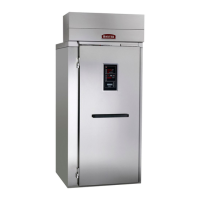
baxter PW2E
20 pages
Print Icon
To Next Page IconTo Next Page
Loading...
Baxter Mfg, a Division of ITW FEG, LLC • 19220 State Route 162 East • Orting, WA 98360-9236
Phone: (360) 893-5554 • Fax: (360) 893-1337
www.baxtermfg.com
Model Number: ___________
Serial Number: ___________
Date of Installation: ___________
Operator
Manual
FORM 36756 (Feb. 2019)
PROOFER &
RETARDER/PROOFER
MODELS
PW1E
PW1S
PW2E
PW2S
PW3S
RPW1S
RPW2E
RPW2S

Questions and Answers

  • J
    Jeffrey HernandezAug 9, 2025
    What to do if my Baxter Measuring Instruments will not turn on?
    • D
      dunnfranciscoAug 9, 2025
      If your Baxter Measuring Instrument won't turn on, first ensure that the power cord is securely plugged in. Next, check that the main power supply to the equipment is switched on. If it still fails to power up after these steps, contact your local authorized service office.
  • M
    michaelandersonAug 19, 2025
    What to do if my baxter PW2E will not cool?
    • K
      Keith BlackAug 19, 2025
      If your Baxter Measuring Instrument is not cooling, first verify that the temperature is set properly. If the problem continues, contact your local authorized service office.
  • K
    Kayla ShafferAug 30, 2025
    How to fix my Baxter Measuring Instruments that will not humidify air?
    • K
      Kimberly ReillyAug 30, 2025
      If your Baxter Measuring Instrument is not humidifying the air, make sure that the humidity is set properly. Also, check that the water supply is turned on to the equipment. If the issue persists, contact your local authorized service office.

Summary

INSTALLATION

ADVANCED CONTROLS - STANDARD PROOFER

PROOF MODE

Details for setting temperature and humidity for proofing operations.

TIMERS

Explains selecting, setting, and managing multiple timers for timed operations.

ADVANCED CONTROLS - RETARDER;PROOFER

START-UP

Explains how to turn on setup mode and adjust temperature and humidity.

CONTROL

Describes entering operation mode and selecting desired modes from the LCD panel.

OPERATING PARAMETER SETUP

Definitions and Default Values for Retarder Proofer

CUSTOMIZED OPERATION

SELECT PROOFER MODEL VIA BOOTLOADER

UPDATE THE PROOFER FIRMWARE VIA BOOTLOADER

LCD CONTRAST ADJUSTMENT

TROUBLESHOOTING

baxter PW2E Specifications

General IconGeneral
Brandbaxter
ModelPW2E
CategoryMeasuring Instruments
LanguageEnglish

Related product manuals