Remote Control
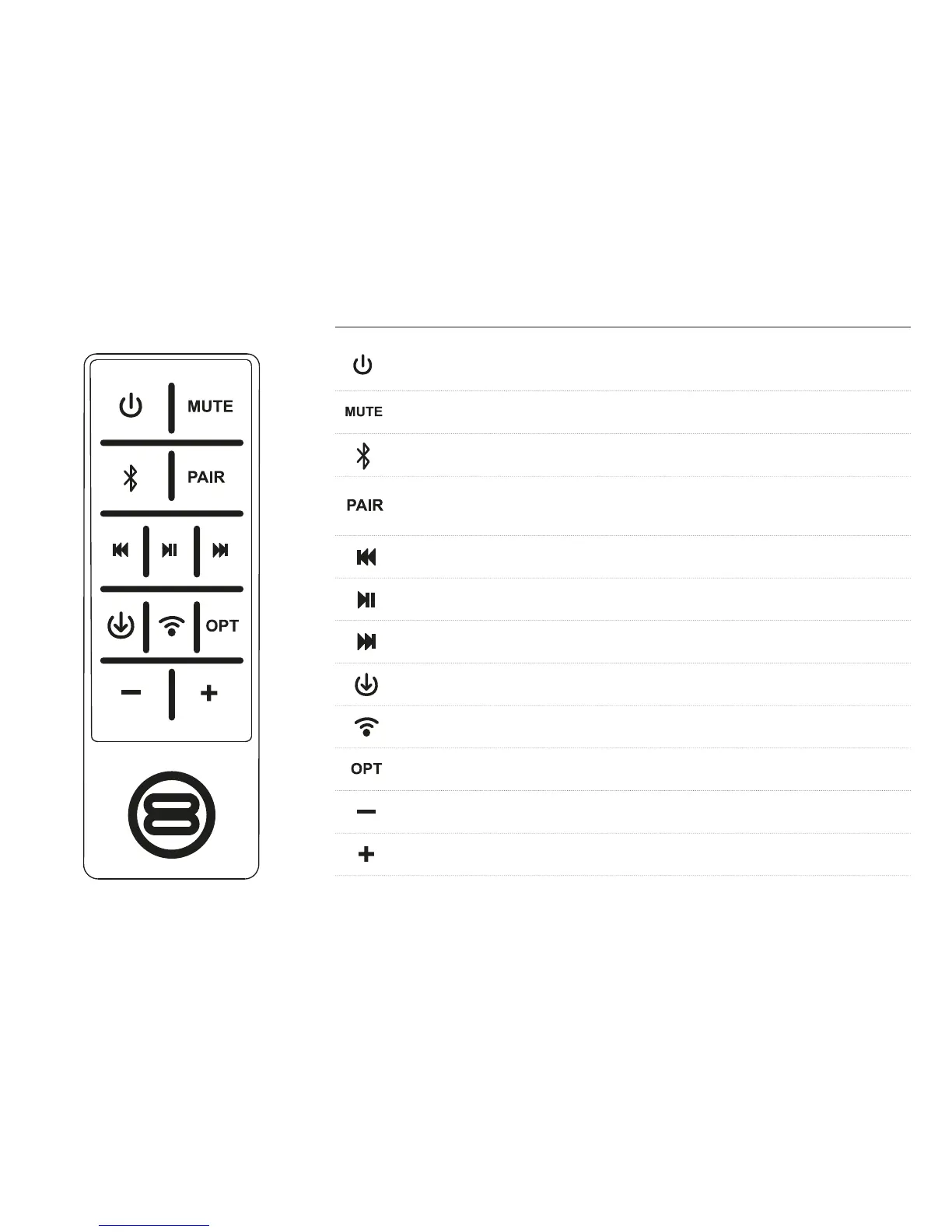
Power
Wake speakers from standby or put to sleep
Mute
Silence the speakers until mute is pressed again
Bluetooth
Selects the Bluetooth as the current input mode
Pair
Disconnect any Bluetooth devices currently connected to the speaker, and allow new
devices to pair.
Rewind
Press and hold to seek, short press to skip back one track
Play/Pause
Press to start or pause the music
FFWD
Press and hold to seek, short press to skip forward one track.
Line In
Selects the AUX line in connection as the current input
WiFi
Selects network mode for wi / Ethernet multiroom streaming of music
OPT
Selects the optical in connection as the current input
DOWN
Decrease volume
UP
Increase volume



 To Next Page