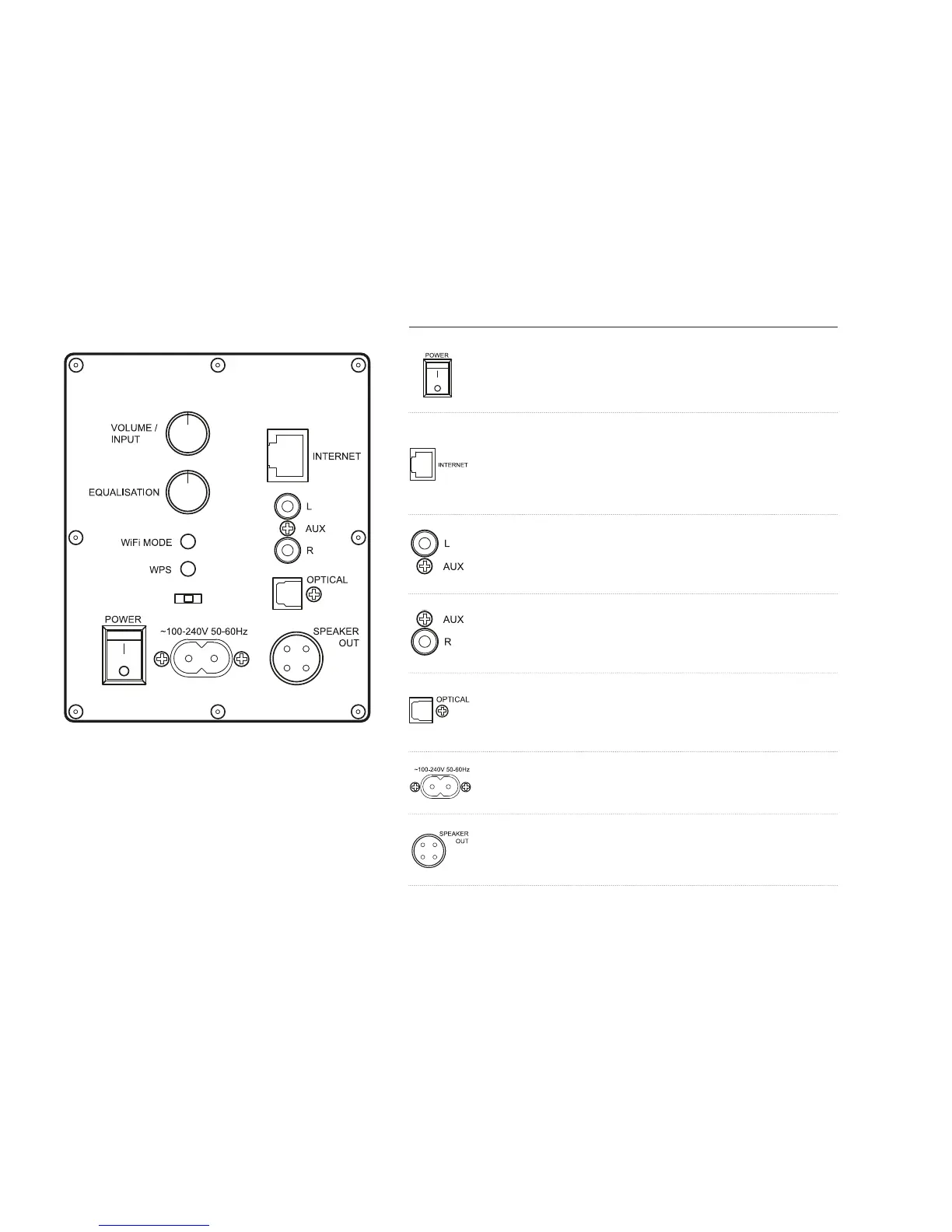
Back Panel
Power
This is the main power on / o switch
for the loudspeaker
Internet
Used to connect your speaker to the network
using an RJ Ethernet cable (where Wi-Fi signal
is weak or not available, or for best performance)
L Aux
connect the left channel of auxiliary equipment
such as CD players here
R Aux
connect the right channel of auxiliary equipment
such as CD players here
Optical
connect digital audio inputs such as the optical
output from your TV here
100-240V 50-60HZ
mains power connector
Speaker out
connect the passive speaker here using the
supplied -way speaker connection cable.



 To Next Page