Troubleshooting
What File Formats can I stream to the Speakers from the StreamQ App?
StreamQ supports MP, AAC, AAC, FLAC, WAV, ALAC and PCM le formats up to KHz
sampling rate and bit resolution.
Updating the Speaker Firmware
From time to time new rmware will be released for the speakers to add new functionality.
This can be downloaded and updated easily over the internet.
To check for rmware updates, make sure your speakers are connected to the Wi-Fi / Ethernet
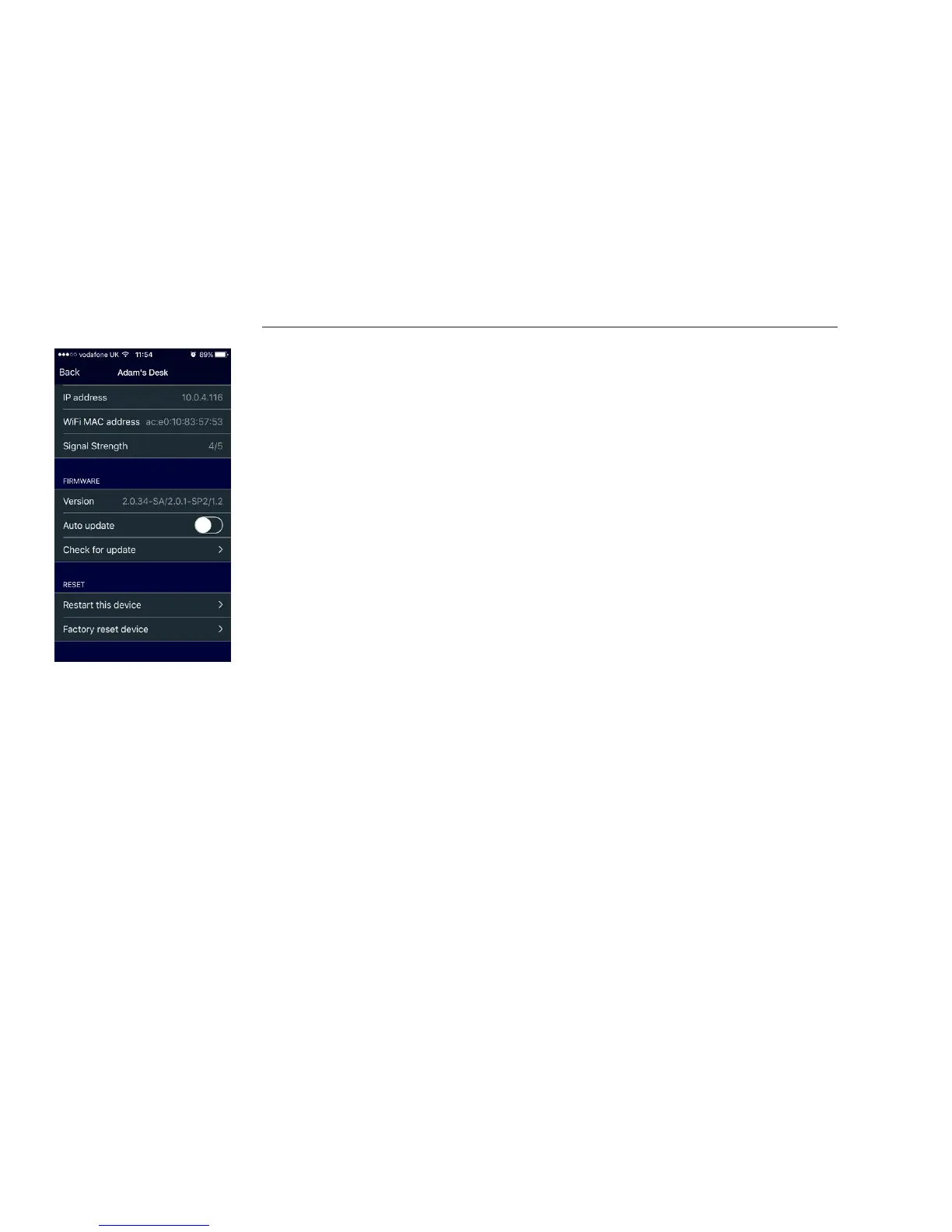
and that there is an internet connection. In the App go to the Main Menu and select Speaker
Settings. Choose the speaker you wish to update, and select ‘Check for update’.
By default, the ‘Auto updated’ feature is disabled – this is to ensure that there is no interruption
to your listening.
During a rmware update, do not un-plug or turn o the speakers. The lights on the front of the
speakers will ash and the speaker may restart several times.
Once the speaker has restarted and is available in the App for music playback, the update
has completed.
How can I Factory Reset / Hard Reset the Speaker?
Occasionally you may need to perform a factory reset on one of your speakers. This may be
because you have changed your Router, your Wi-Fi SSID or your Wi-Fi Password, and your speaker
is no longer connected to the network.
Performing a factory reset enables you to reconnect to your speaker from your mobile device and
then congure the network as described in the Quick Start section of this user guide.



 To Next Page