5
Presetting the channels
The BC Link 2.0 comes with preset channels from the factory:
A Channel 1 privacy code off
B Channel 5 privacy code 10
C Channel 4 privacy code 20
D Channel 8 privacy code 10
E Channel 9 privacy code 11
F Channel 20 privacy code off
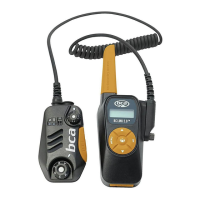
With the BC Link 2.0, it is possible to preset your own channels using the dial on the Smart Mic.
These can be set to A, B, C, D, E, or F by following these steps:
1. Turn the radio on, using the power/volume dial.
2. Select the preset channel (A-F) on the Smart Mic channel selection dial.
3. Press Menu once (to deactivate the key lock, see below).
The channel number will start flashing in the display.
4. Select desired channel using the up/down buttons.
5. Accept by waiting for five seconds or pressing OK.
6. Press Menu again. The privacy code number will start flashing.
7. Select desired privacy code.
8. If the channel or privacy code digit stops flashing while presetting the channels,
press Menu again.
Repeat this process for each channel (A-F) that you would like to preset. All members of
your party must select the same channels AND privacy codes. We suggest presetting
several neighboring channels on the dial to the same channels and privacy codes, in case
the dial switch is turned inadvertently.
Channels 1 through 7 are 2.0W channels. Channels 8 through 14 are 0.5W FRS channels.
Channels 15 through 22 are 2.0W channels. While battery life is longer when using
channels 8-14, the range of transmission is shorter.
Selecting the preset channel
After channels have been preset, the desired channel and privacy code combination can
be selected with the dial on the Smart Mic. Therefore you don’t need touch the base unit to
change channels.
Key lock
The key lock applies to the keys on the base unit only; it does not lock the controls on the
Smart Mic. Activate the key lock by pressing the Menu and Ok buttons simultaneously for
three seconds. During this time, a countdown from 3 to 1 is shown in the display. The key
lock can be deactivated the same way it is activated.


 To Next Page