12
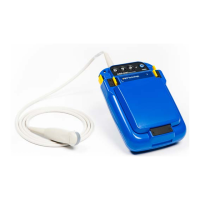
To use the Smart Display, make sure the Easi-Scan Micro-Convex is switched off, feed the probe
cable through the lower handle of the Smart Display, engage the rear of the Easi-Scan Micro-Convex
with the lip on the Smart Display and press the Easi-Scan Micro-Convex into place, ensuring that the
yellow clips on the Easi-Scan Micro-Convex are fully engaged with the Smart Display and switch on by
pressing the power button on the front of the Smart Display.
When Easi-Scan Micro-Convex is used with Smart Display it can be used for OPU procedures with OPU
handle and needle guide.


 To Next Page