13
2 Care & maintenance
2.1 Easi-Scan Micro-Convex & power packs
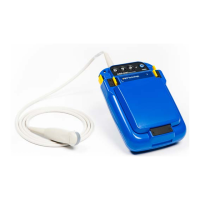
The Easi-Scan Micro-Convex is designed for reliability in the veterinary and animal husbandry
marketplace. Our engineers and their appointed agents are available to provide rapid service
assistance to ensure optimum performance of BCF systems. However there is no substitute for careful
usage.
We state that the Easi-Scan Micro-Convex is splashproof, indeed it is sealed to IP65, but you should
note the following important points:
1. The unit is not sealed against jets of water. Water will penetrate your scanner if it is hosed down
or rinsed under a fast flowing tap
2. The unit is NOT corrosion proof and thus it should not be left wet
3. Some types of goggles are not waterproof and care should be taken to avoid submersion
4. The standalone charger, battery charger and charging carry case are not waterproof – avoid
getting them wet
Cleaning
• Antibacterial wet wipes are particularly effective for scanner, battery and probe wipedown, and
reduce the need for drying. This prevents problems related to corrosion following washdown
• The plastic scanner, power pack and carry pack can also be cleaned using a cloth, soap and
warm water
• Sponging down or even brief, shallow submersion is less aggressive than rinsing or hosing
down
• Thoroughly dry the scanner before storage or charging. Take care to detach the external power
pack and ensure interconnect areas are dry also
• Neoprene Scanner waist pouch may be machine washed
• Warning: The scanner and power pack must not be stored damp – severe corrosion will result.
See separate section for probe care
• Your equipment should be returned periodically to a BCF qualified service engineer. Theservice
agent will use special test equipment to thoroughly check the instrument and advise of any
work that appears to be necessary. Any other service problems should be referred to our
qualified service engineers
2.2 Battery charging
The external battery can be charged in the carry case either while connected to the scanner with the
scanner docked or in the battery charging dock. The battery can also be charged in the standalone
charger.
The battery LED will flash slowly while charging with the colour indicating the current state of charge
(Red = less than 25%, Amber = 25% – 75%, Green = more than 75%. Once fully charged the LED will
either show continuous green or a rapid flashing green.
All batteries will be charged within five hours, but will not be damaged by continued charging.


 To Next Page