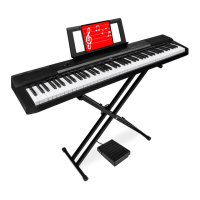
USB INTERFACE
The USB port of this digital piano can be connected with
a music device with a USB connection to a computer. By
Pre-Installing music software on your computer, you can
play, compose, edit and store music.
Use universal USB cables to connect the digital piano to
the computer and power it on.
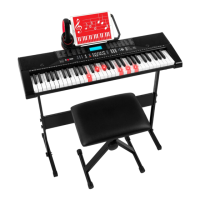
HEADPHONE OUTPUT TERMINAL
This product has two headphone output ports.
Connecting the headphones will automatically disconnect
the digital piano built-in speaker output so you can play
without disturbing others.
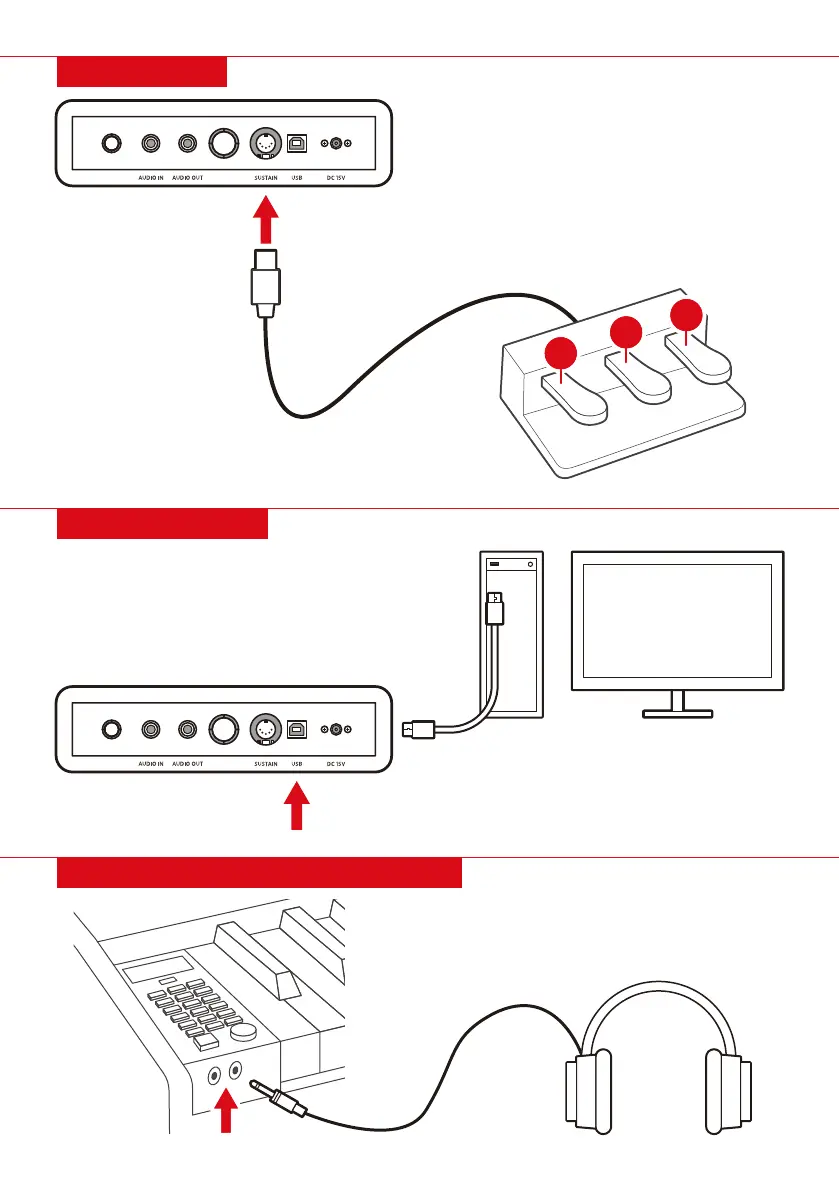
THE PEDALS
1. SOFT PEDAL: after pressing the soft pedal,
the keys played will be lowered in volume
until after the pedal is released.
2. DELAYED TONE: press the delayed tone
pedal, there will be a sustain to only the note
being played by the eect
3. DAMPER PEDAL: after pressing the damper
pedal, pressing the keys produces a
lengthening eect.
2
3
1
6 |


 To Next Page