BDCOM S2510-C Hardware Installation Manual
- 10 -
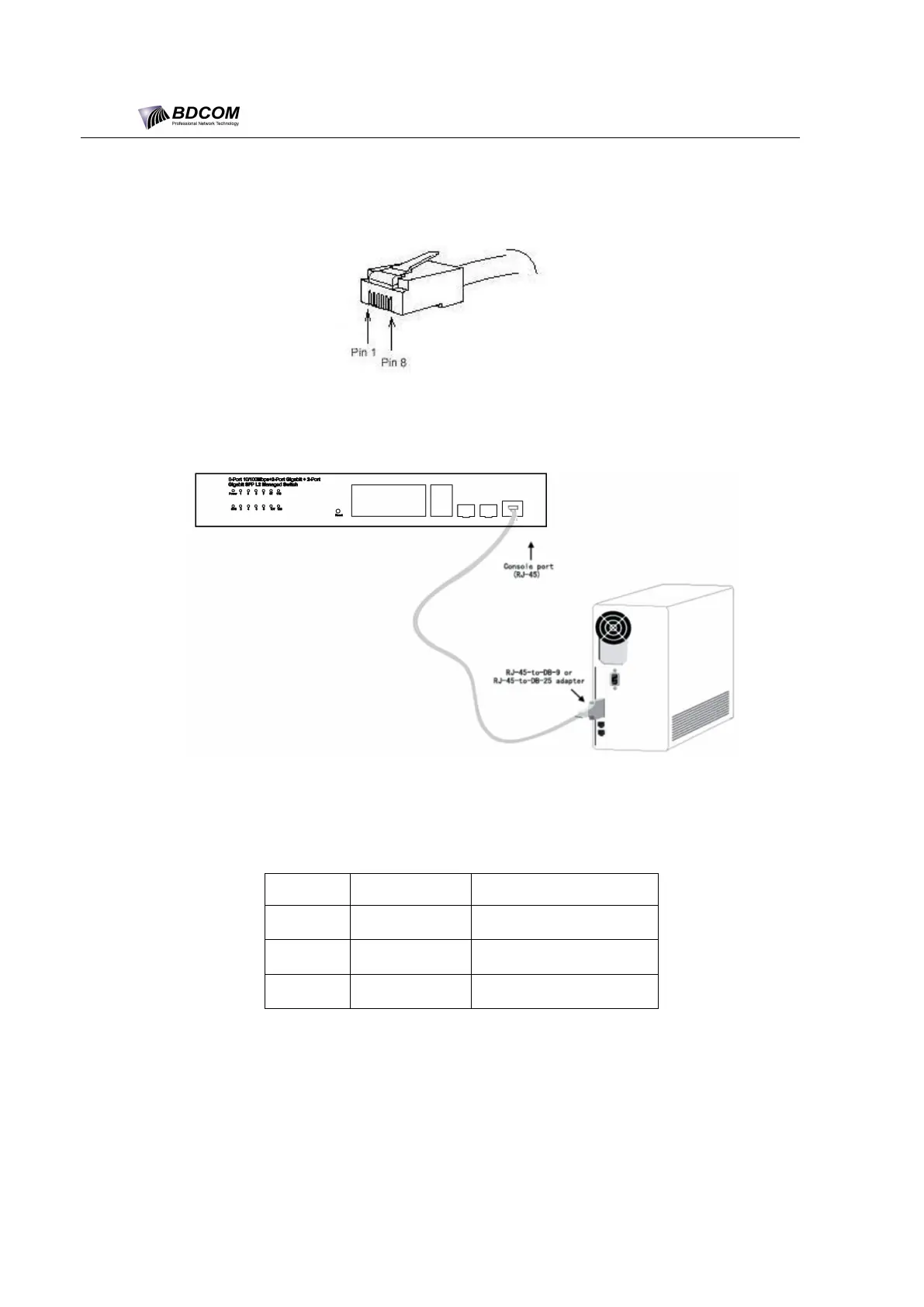
The RJ45 connector of the console port is shown in Figure 3-3. The RJ45 plug
corresponds to the RJ45 socket, whose pins can be aligned from left to right with
the value from 1 to 8.
Figure 3- 3 RJ-45 connector of the console port
Figure 3-4 Connecting the Console port and the PC of the BDCOM S2510-C switch
Table 3- 1 Pins of the console port
Note:
The console port of BDCOM S2510-C does not support traffic control. Therefore,
you must set the option data traffic control to none when you configure the switch
with the super terminal. Otherwise, the single-pass problem will arise on the super
terminal.



 To Next Page